
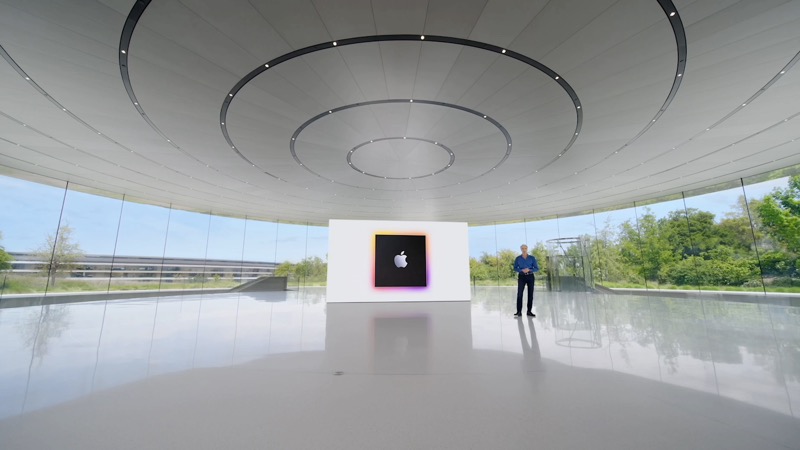
- 01What Apple Intelligence Actually Is
- 02What's Actually Good: The Features That Deliver
- 03What Didn't Work: The Honest Disappointments
- 04What WWDC 2026 Is Changing: iOS 27 and Apple Intelligence 2.0
- 05Apple Intelligence vs Third-Party AI: Is It Worth Switching?
- 06Which Devices Get Apple Intelligence in iOS 27
- 07Frequently Asked Questions
Apple Intelligence launched with two years of hype and shipped with mixed results. Some features are genuinely useful — a few are among the best AI tools built into any phone. Others were quietly delayed, watered down, or arrived so late that users had already moved on. Here’s the honest state of things, plus what WWDC 2026 changes.
Short Answer: Apple Intelligence is best at Clean Up in Photos, Writing Tools for short edits, and Visual Intelligence. It’s weakest at Siri — which still can’t do most of what was promised. iOS 27 (announced at WWDC June 8, 2026) is the real upgrade: a completely rebuilt Siri with chatbot mode, on-screen awareness, and personal context. That’s the version worth getting excited about.
What Apple Intelligence Actually Is
Apple Intelligence is Apple’s umbrella name for AI features built into iPhone, iPad, and Mac, running on Apple Silicon. It’s not one thing — it’s a collection of features spread across the OS: writing assistance, image generation, photo editing, notification summarisation, Siri enhancements, and Visual Intelligence (point your camera at something and ask about it).The key distinction from ChatGPT or Claude: most Apple Intelligence features run on-device, meaning your data doesn’t leave your phone. For the more demanding tasks, Apple routes requests to Private Cloud Compute — its own servers — under a system designed so even Apple can’t read your queries. Privacy is the product’s structural advantage over every cloud-first competitor.
What’s Actually Good: The Features That Deliver
Clean Up in Photos
This is Apple Intelligence at its best — genuinely magical in practice. Select an object or person in a photo, tap Remove, and it disappears cleanly. It handles complex backgrounds (grass, crowds, textured walls) better than most competitors. It’s fast, requires no prompting, and the results are good enough to use without going to Photoshop. This is the feature that justifies the Apple Intelligence branding.
Visual Intelligence
Point your camera at a restaurant, a product, a plant, a book, or a piece of text and Visual Intelligence pulls relevant information. It can read a menu and help you decide what to order, identify a plant and tell you how to care for it, or find where to buy a product online. It works reliably and quickly. The real-world usefulness here is high — it’s the feature most people discover accidentally and then use constantly.
Writing Tools
Select any text in any app and the Writing Tools menu offers Rewrite, Proofread, Summarise, and Make Longer/Shorter options. For short edits — fixing a sentence, tightening a paragraph, adjusting tone — it works well. The limitation is document length: Writing Tools struggles with anything longer than a few hundred words, which makes it less useful for serious writing work. For quick in-context fixes on emails and messages, it’s solid.
Notification Summaries
Grouping and summarising notification stacks from apps is useful in theory and occasionally embarrassing in practice. Early versions produced factually wrong summaries of news notifications (summarising an article as saying the opposite of what it said). Apple has improved this but it’s still not reliable enough to trust for anything where the exact content matters. Fine for grouping social notifications; treat news summaries as approximate.
Genmoji and Image Playground
Describe an emoji you want and Genmoji generates it. Point Image Playground at a photo and it generates illustrated versions in different styles. These are more fun than essential, but they work consistently and produce creative results. Kids and social-media-heavy users get more mileage from these than professionals.
What Didn’t Work: The Honest Disappointments
Siri — The Biggest Letdown
Apple promised Siri with personal context (understanding your emails, messages, and calendar), on-screen awareness (seeing what you’re looking at and taking action), and deep app integration (actually doing things across apps, not just opening them). Most of this didn’t ship in iOS 18. The features that did arrive were fragile — Siri’s conversational ability improved slightly, but it was still crashing out of tasks that ChatGPT handles in seconds.
An investigation by 9to5Mac revealed the core technical problem: Apple shipped iOS 18 with two separate Siri backends — a legacy one for old commands and a new one for AI features — that were never properly unified. The result was inconsistent behavior and hard limits on what the system could do together.
ChatGPT Integration — Good but Obvious
Apple integrated ChatGPT into Siri for questions requiring external knowledge. It works, but it’s an explicit handoff — Siri asks you if you want to send the query to ChatGPT. There’s no seamless experience, and users who already use ChatGPT directly find the extra step pointless. It’s better than nothing but doesn’t close the gap with Google’s Gemini integration in Android.
Limited Device Availability
Apple Intelligence requires an iPhone 15 Pro or later, an iPad with M1 or later, or a Mac with Apple Silicon. A large chunk of iPhone users are on older devices and can’t access any of these features. This limits the real-world usage data Apple collects and creates a two-tier experience that makes the features feel more exclusive than they need to be.
What WWDC 2026 Is Changing: iOS 27 and Apple Intelligence 2.0
WWDC June 8, 2026 — update this section after the keynote:
[ADD: Actual iOS 27 Apple Intelligence announcements from the keynote here]
Pre-keynote expectations based on confirmed leaks and reports:
— Full Siri chatbot mode (standalone app, ChatGPT-style interface)
— On-screen awareness: Siri sees what you’re looking at and acts on it
— Personal context: Siri reads your emails, messages, and calendar to answer personal questions
— Hundreds of new in-app actions
— iOS 27, macOS 27 developer betas available same day
The Siri overhaul expected in iOS 27 is substantively different from what shipped before. Based on pre-keynote reporting from MacRumors and 9to5Mac, the features arriving in iOS 27 include a completely redesigned Siri with a full chatbot interface (competing directly with Claude and ChatGPT), a standalone Siri app for the first time, on-screen awareness that lets Siri see and act on whatever is displayed, and personal context intelligence that lets Siri answer questions about your own life using your emails and messages.
If these features arrive as described, they represent the Apple Intelligence that was promised in 2024. The question is whether Apple ships them complete or does another staged rollout that delays the most compelling parts.
Apple Intelligence vs Third-Party AI: Is It Worth Switching?
For most things, no — and that’s not a knock on Apple. The on-device privacy advantage is real and meaningful for users who care about it. But Claude, ChatGPT, and Gemini are still significantly more capable for complex writing, research, and multi-step tasks than anything Apple Intelligence currently offers.The right mental model: Apple Intelligence is excellent for OS-level tasks (photo editing, notification management, quick writing fixes, visual identification) where tight system integration matters. Third-party AI is better for content creation, research, and anything requiring depth or nuance.
They’re not competing for the same jobs. Use both. For summarising content and research before writing, TechTippr AI Summarizer and Claude do things Apple Intelligence doesn’t attempt. For cleaning up a photo while you’re in the Photos app, Clean Up is faster than opening anything else.
Which Devices Get Apple Intelligence in iOS 27
- iPhone: iPhone 15 Pro, iPhone 15 Pro Max, all iPhone 16 models, all iPhone 17 models
- iPad: iPad with M1 chip or later (iPad Pro, iPad Air, iPad mini 6th generation+)
- Mac: Any Mac with Apple Silicon (M1 or later)
- Language: English fully supported; other languages expanding with each update
If you’re on an iPhone 15 (non-Pro), you still don’t qualify. The hardware requirement remains a frustration for users on the non-Pro lineup.
Frequently Asked Questions
Is Apple Intelligence free?
Yes — Apple Intelligence features are included with iOS 18 and iOS 27 at no extra cost, on compatible devices. There’s no subscription and no usage limits for the on-device features. The ChatGPT integration uses your ChatGPT account if you have one; free tier ChatGPT access works without signing in.
Is Apple Intelligence better than ChatGPT?
For different things. Apple Intelligence wins for photo editing, OS integration, and privacy-sensitive tasks (runs on your device). ChatGPT wins for complex writing, research, coding, and anything requiring general knowledge or extended reasoning. Most serious users keep both — they’re complementary, not competing for the same jobs.
Why has Siri been so far behind?
Technical architecture. Apple shipped iOS 18 with two separate Siri backends that were never properly unified — one for legacy voice commands, one for AI features. The result was hard limits on what the combined system could do. iOS 27 is reportedly the version where those systems are finally rebuilt from the ground up as one coherent architecture.
Why isn’t Siri AI available in the EU?
Apple confirmed that Siri AI will not launch in the European Union or China at release. The EU situation is tied to the Digital Markets Act, which requires Apple to open up access to its operating system in ways that conflict with the privacy architecture Apple designed for Siri AI. Apple says it is working to comply but gave no timeline for EU availability. General Apple Intelligence features (Writing Tools, Photos AI, etc.) continue to work in the EU. Only the new Siri AI component is blocked.
Does Apple Intelligence work in India?
English language features work on compatible devices worldwide, including India. Hindi support and other regional language features are on Apple’s roadmap but have not fully shipped as of mid-2026. Writing Tools, Clean Up, and Visual Intelligence all work in English on Indian devices.
When does iOS 27 release publicly?
Developer beta is expected immediately after the WWDC keynote on June 8. Public beta typically follows in July. The full public release is expected in September 2026 alongside new iPhone hardware.
Try TechTippr AI Summarizer Free ↗
Claude vs ChatGPT — Full Comparison
Apple Intelligence is on a two-year journey from promising concept to genuinely useful OS feature. The original vision is finally arriving in iOS 27. Whether Apple executes the full Siri overhaul or does another staged delay will determine whether this year is when Apple Intelligence stops being a punchline. iOS 27 brings the Apple Intelligence that was promised at launch. Siri AI is a meaningful upgrade on capable hardware — conversation history, Gemini-quality reasoning, and agentic features are real changes, not marketing language. Whether it executes as well in daily use as in controlled demos is what the September public release will reveal. If you’re on iPhone Air or iPhone 17 Pro hardware, the developer beta is available now. Drop your experience with Siri AI in the comments.