⚡ TL;DR: The best screenshot tools in 2025 are CleanShot X (Mac, best overall), ShareX (Windows, free), Snagit (power users), and Loom (for screen recordings with video). For basic screenshots, your OS built-in tools are good enough.
A good screenshot tool saves more time than you’d expect — especially for anyone creating documentation, tutorials, bug reports, or content. Here are the best options for Mac and Windows.
2026 Update: AI features have come to screenshot tools in 2026 — CleanShot X added smart redaction (automatically detects and blurs sensitive info like emails and phone numbers). Several tools now include built-in OCR powered by on-device AI, making text from screenshots instantly searchable and copyable without a separate step.
Amazon
Best USB-C Hub for Mac & Laptop Users
Expand your MacBook or laptop ports with the Anker USB-C Hub. Add HDMI, USB-A, SD card, and more in one compact device. A staple for every creator workstation.
Check Price on Amazon →2026 Update: AI features have arrived in screenshot tools. CleanShot X added smart redaction that automatically detects and blurs sensitive info like emails and phone numbers. Several tools now include on-device OCR, making text from screenshots instantly searchable without a separate step.
Best for Mac: CleanShot X — $29 one-time or $8/month
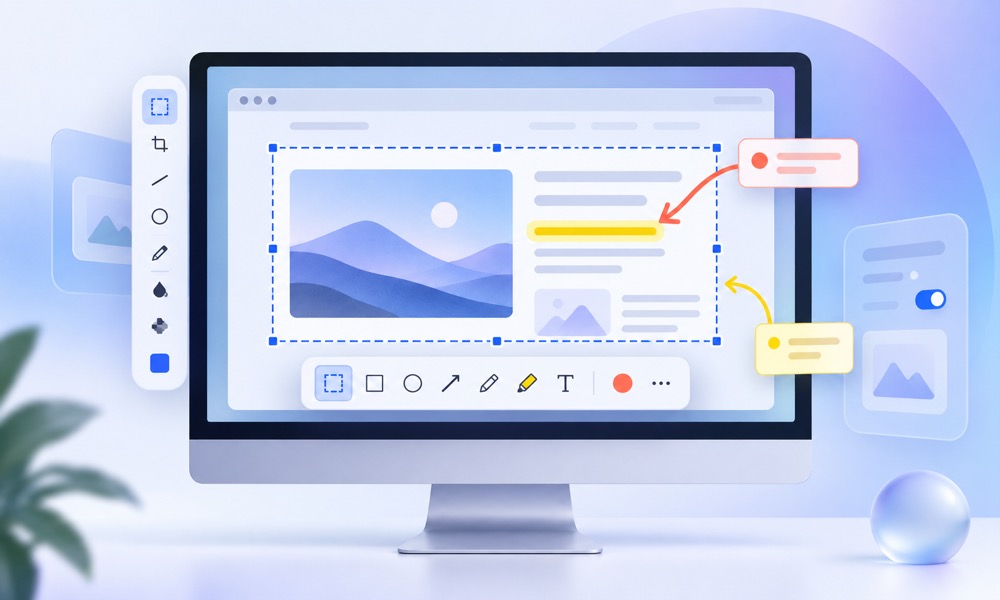
CleanShot X is the gold standard for Mac screenshot tools. It captures screenshots, records screen video, annotates with arrows/text/highlights, blurs sensitive data, and stores a scrollable history of everything you’ve captured. The “Capture Scrolling” feature grabs entire web pages in one shot. For anyone doing regular documentation or content creation on Mac, it’s worth every penny.
Best Free for Windows: ShareX
ShareX is open-source and free with a feature set that rivals paid tools. Captures screens, windows, regions, and scrolling pages. Includes a full annotation editor, image editor, and can upload directly to Imgur, Google Drive, or a custom server. The interface is less polished than CleanShot X but the capabilities are comparable.
Best for Teams and Documentation: Snagit — $63/year
Snagit is the professional standard for creating software documentation, training materials, and tutorials. Its template library, step-numbering tool, and “Simplify” feature (which converts screenshots to clean vector-style illustrations) make it uniquely good for instructional content. Available on both Mac and Windows.
Best for Screen Recording: Loom — Free / $12.50/month
Loom records your screen plus face cam simultaneously and instantly creates a shareable link — no exporting or uploading needed. It’s become essential for async team communication. The free tier allows 25 videos up to 5 minutes each. For tutorials, bug reports, and feature walkthroughs, nothing beats the speed of “just record it and share the link.”
Best for AI Coding Agents: SlimSnap — Free
SlimSnap captures a full scrolling page — not just what’s on screen — and splits it into readable frames plus one JSON file listing every element’s text and position, built for AI tools that choke on one tall image. Autoscroll drives the capture, OCR runs locally, and it works the same on Mac and Windows, no account required. For anyone pasting screenshots into Claude Code, Cursor, or another coding agent, it’s free and solves a problem none of the other tools here touch.
For basic needs: macOS built-in (Cmd+Shift+4 with space for window capture) and Windows Snipping Tool (Win+Shift+S) are genuinely capable. Add the free Greenshot (Windows) for annotations on top of the Snipping Tool and you have a solid free setup.
🎯 Recommendation: Mac users: CleanShot X. Windows users: ShareX (free) or Snagit (pro). Anyone needing quick screen recordings with sharing: Loom Free.
*As an Amazon Associate I earn from qualifying purchases.