

Table of ContentsJump to section
Keeping track of daily milk deliveries and manually calculating your monthly provider bill shouldn’t feel like a chore. If you’re tired of doing end-of-month math or scribbling on a physical calendar hanging in the kitchen, we’ve got the perfect digital upgrade for you.
A while ago, we shared our highly popular Free Milk Tracker Notion Template. While Notion is an incredibly powerful tool for complex databases, opening the Notion app every single morning just to log “1 Liter” of milk can feel clunky, slow, and overly complicated.
That’s exactly why we built the ultimate, standalone Milk Tracker App—designed strictly for blazing speed, absolute simplicity, and a premium mobile experience.
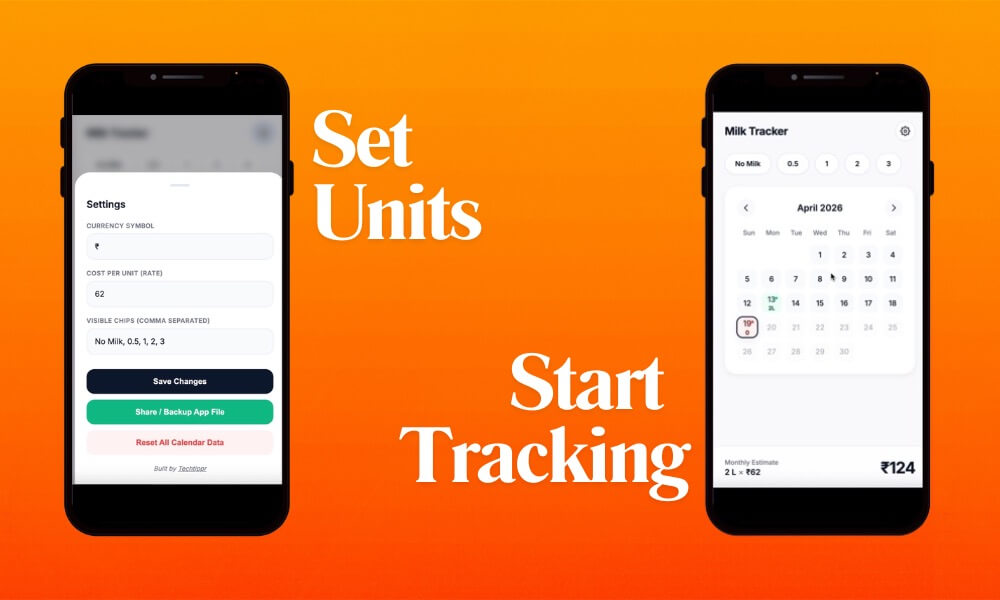
Why It’s Better Than a Notion Template
This brand-new Milk Tracker is built as a lightweight, lightning-fast web application. Here is exactly why it completely outperforms standard Notion templates:- Zero App Installations: It’s a single, self-contained file. No bulky app downloads, no sign-ups, and no cloud accounts required.
- Premium Native Feel: Designed with a clean, Apple-inspired interface, it looks, animates, and feels exactly like a high-end native iPhone app.
- Works 100% Offline: Your data is saved instantly and privately to your phone’s local browser storage. You don’t need an active internet connection to log your daily milk.
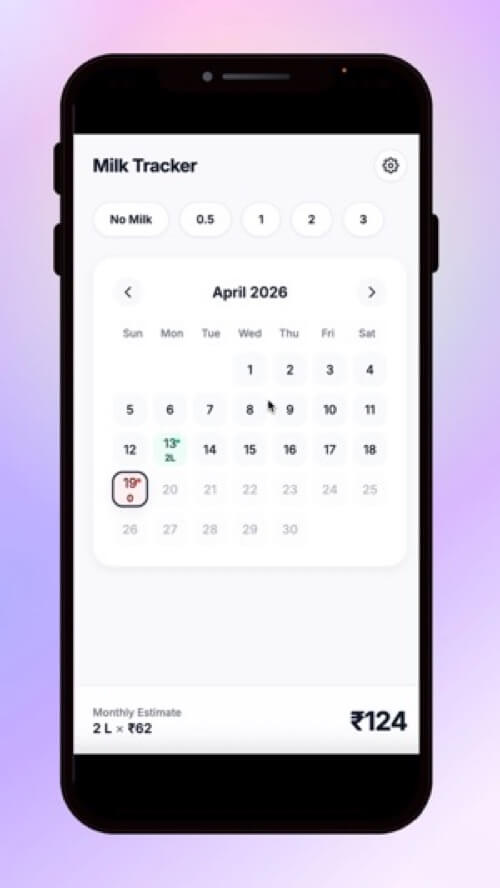
- Live Bill Calculation: Set your per-unit milk rate once, and the sticky bottom bar will automatically calculate your total monthly bill in real-time with every tap.
- Smart Accumulation: Need 1.5 liters today? Just tap the “1” chip, then the “0.5” chip, and the app automatically adds them together.
A Look Inside the Tracker
How to Use the Milk Tracker
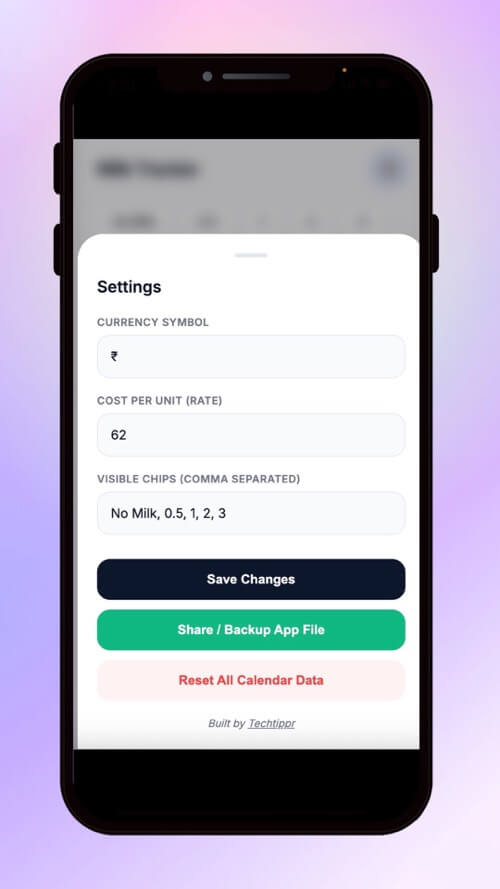
Using the tracker takes less than two seconds out of your day. Once you open the file on your phone:- Customize Your Settings: Tap the Gear icon in the top right. Enter your desired currency symbol (₹, $, £, etc.) and your milk rate per unit. You can also customize the quick-tag buttons (e.g., 0.5, 1, 2).
- Log Daily Milk: Tap today’s date on the calendar, then tap your desired quantity chip at the top. The date will highlight in green, and your bottom-line monthly bill updates instantly.
- Make Corrections Safely: Made a mistake? Simply long-press any date on the calendar, and your phone will gently vibrate as it clears that date’s data.
- Backup & Share: Want to switch phones securely or share the tracker with your spouse on WhatsApp? Use the “Share / Backup App File” button in settings. The app magically packages all of your data into the file itself so you never lose your history!
Get the Milk Tracker App Now
It is time to ditch the pen and paper (and the slow Notion load times). Start tracking your daily milk deliveries the smart, frictionless way.*As an Amazon Associate I earn from qualifying purchases.