
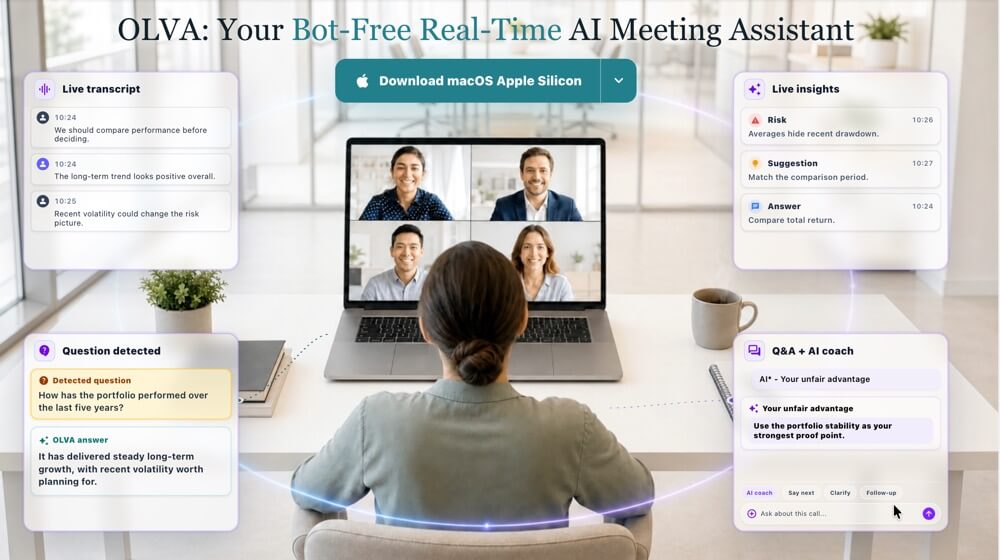
OLVA is a bot-Free Real-Time AI Meeting Assistant designed to help users during conversations and after they end.
Unlike traditional AI note-taking tools that mainly generate summaries after a meeting, OLVA provides real-time assistance while the conversation is still happening.
It can transcribe discussions live, translate meeting conversations in real time, detect questions automatically, generate context-aware answers, surface useful insights, reference relevant documents, and organize meeting information for later use.
Users can automatically translate meetings into their default language or manually translate selected parts of the conversation when they need extra clarity.
OLVA works alongside virtual meetings such as Zoom, Google Meet, and Microsoft Teams without joining the call as a visible bot. It can also support in-person conversations through its mobile applications.
The product is built around a simple idea:
AI should not only tell users what happened after a meeting. It should be able to help while the conversation is happening.
Main Features
Invisible, Bot-Free Meeting Assistance
OLVA works without adding a visible bot to the meeting. There is no additional participant, profile image, or automated guest inside the call.
This allows users to receive private AI support without interrupting the natural flow of the conversation.
Real-Time Transcription
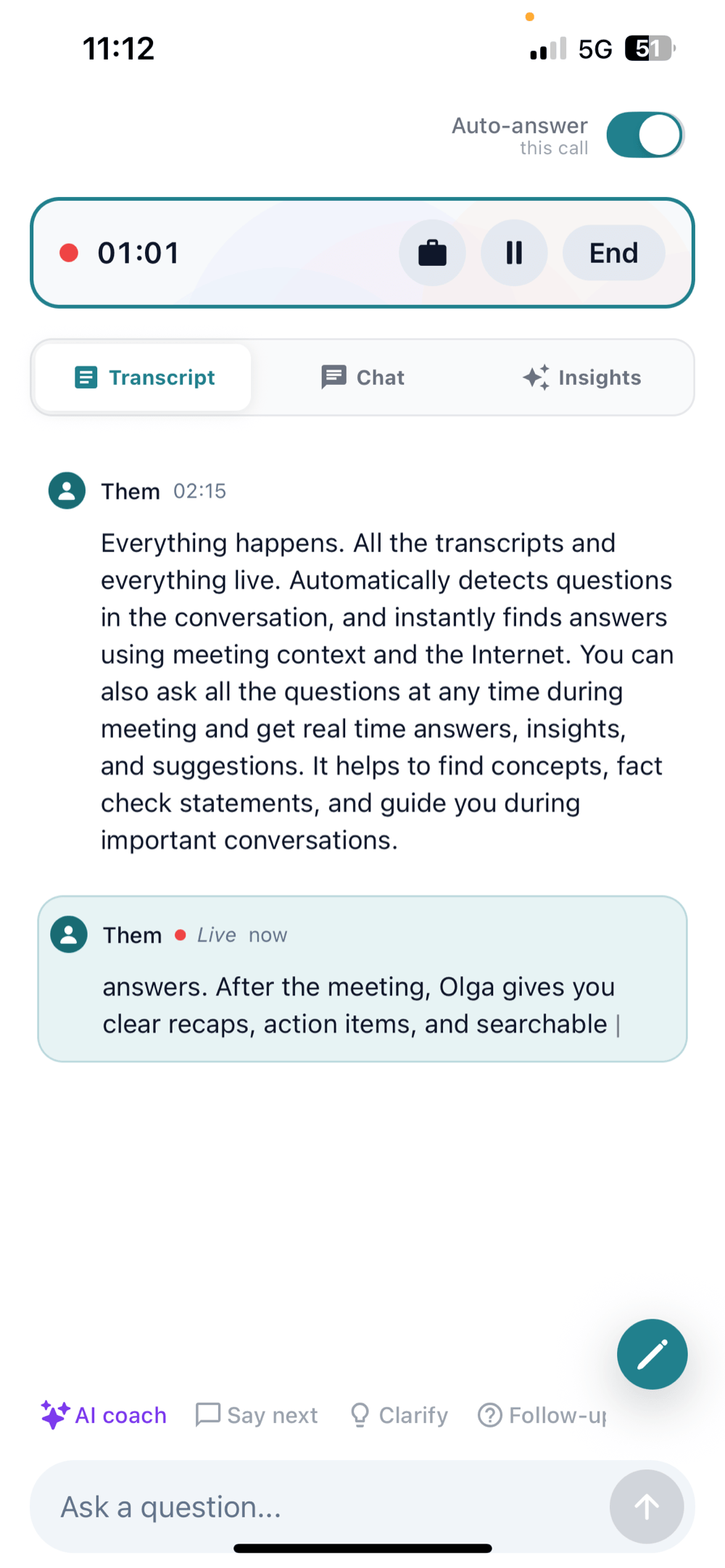
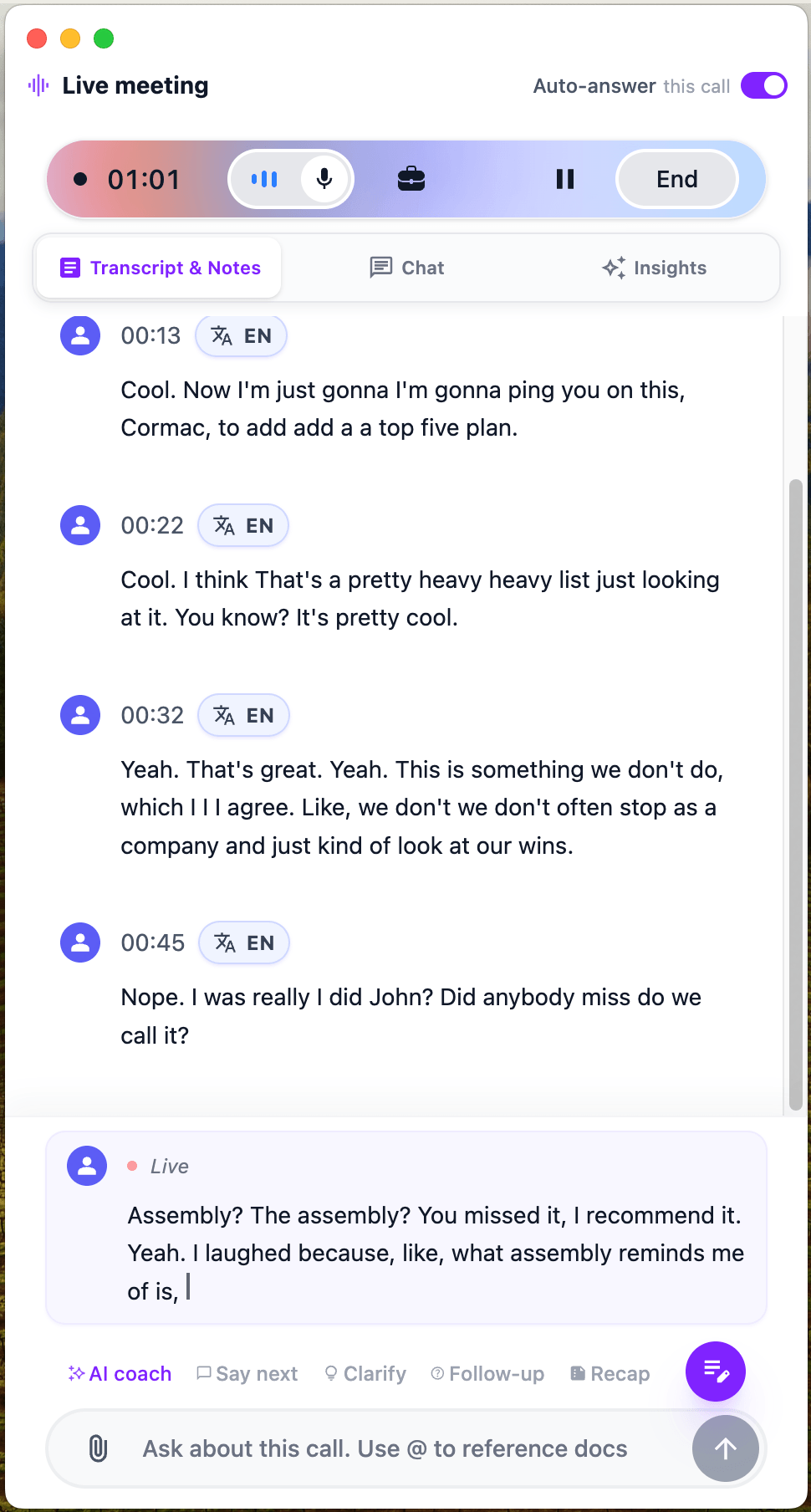
OLVA generates a live transcript as the conversation happens, helping users follow discussions, review missed details, and stay focused without taking extensive manual notes.
It can be used for both virtual meetings and in-person conversations.
Automatic Question Detection
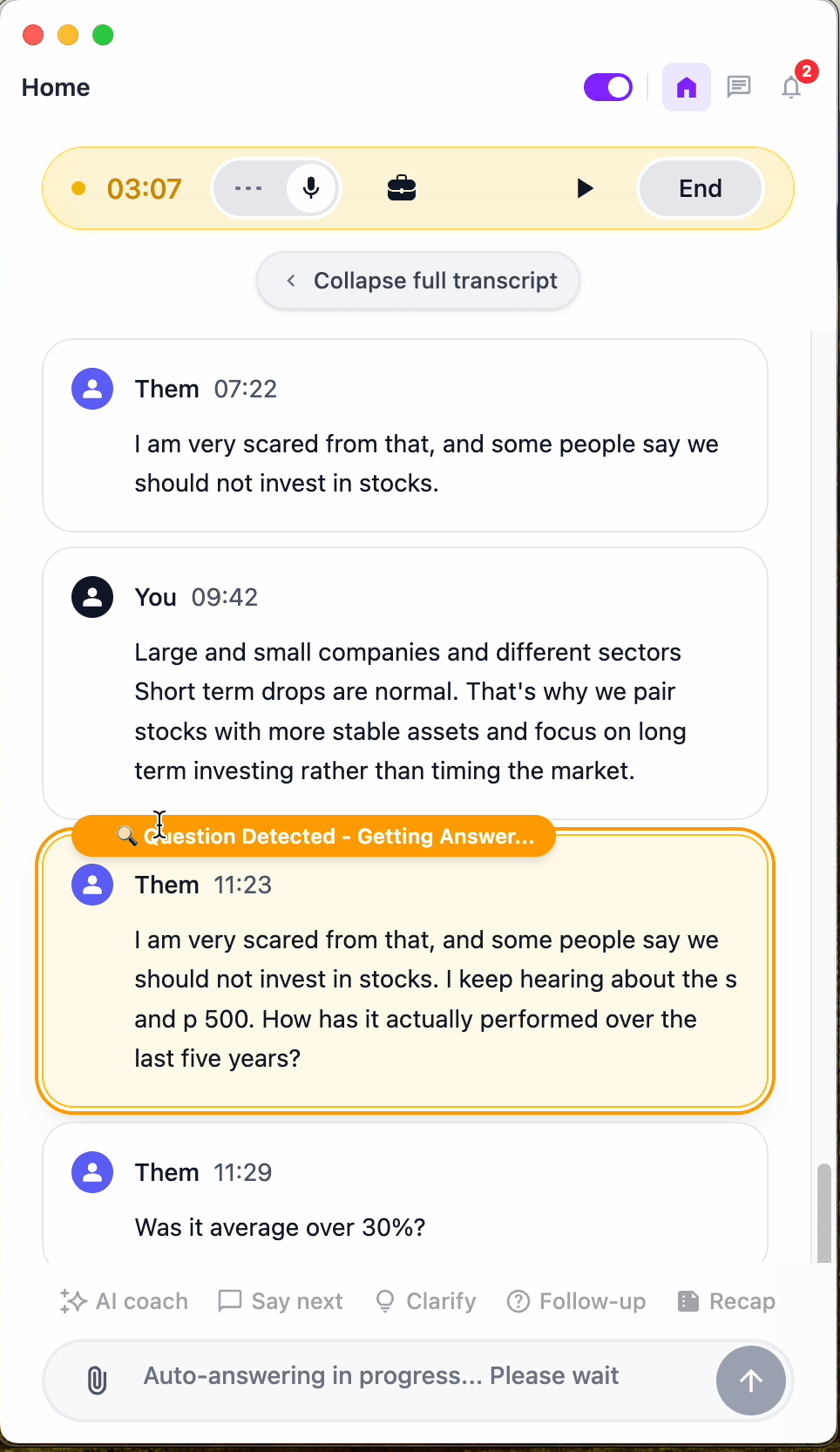
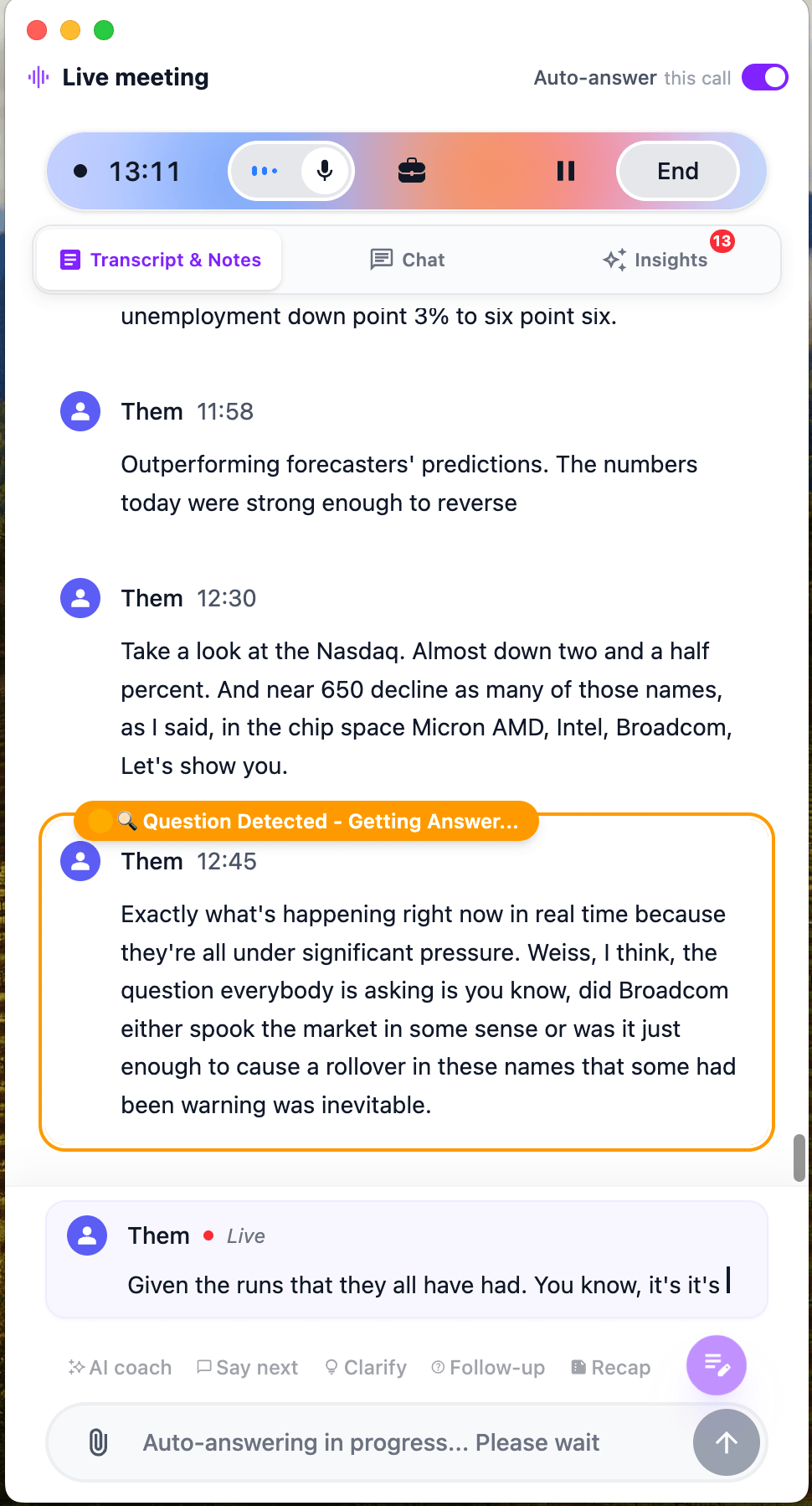
OLVA automatically identifies questions asked during a conversation and highlights them for the user.
Instead of manually typing every question into an AI tool, users can receive relevant answers while the discussion is still happening.
Live Translation
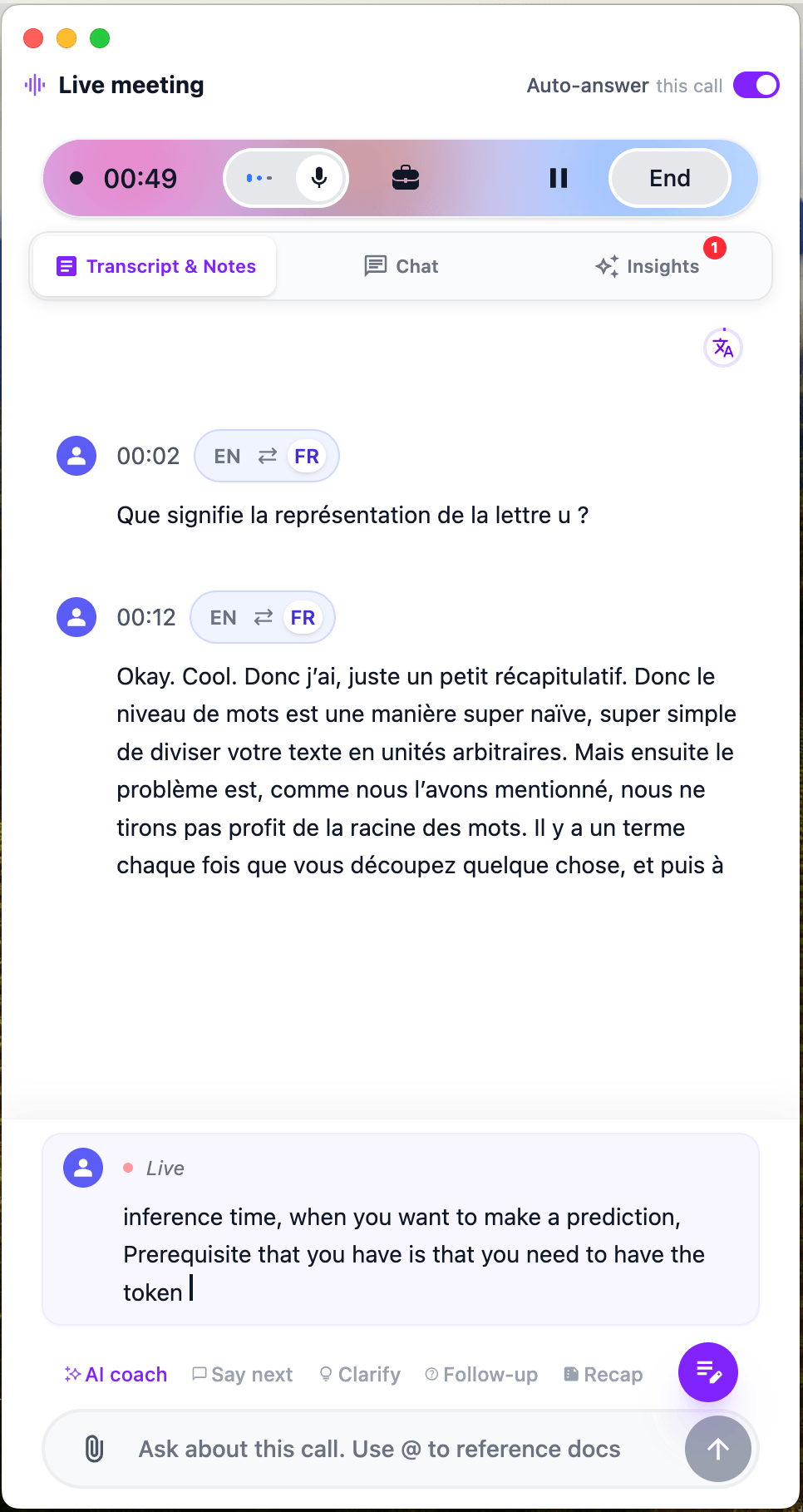
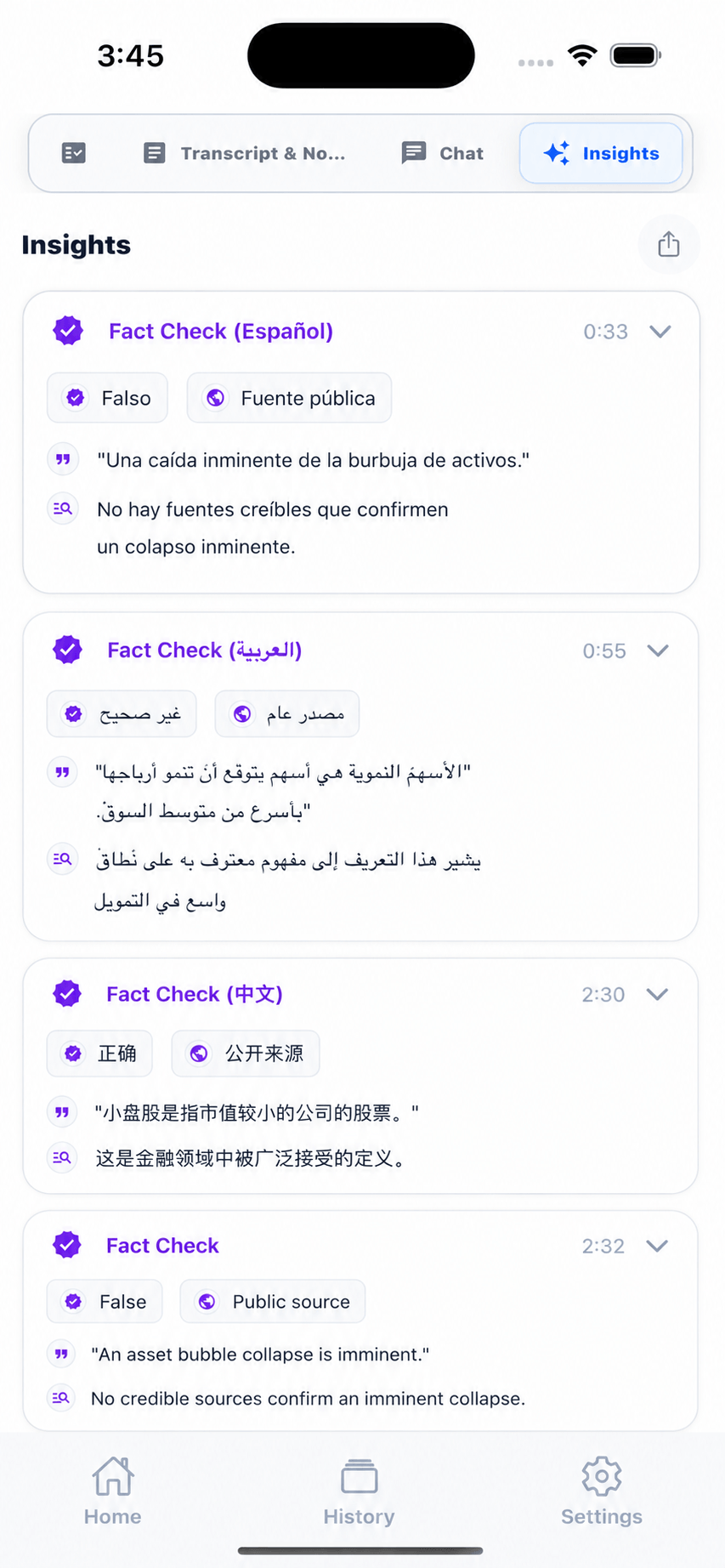
Live Translation helps users understand meeting conversations across languages in real time.
Users can set OLVA to automatically translate the meeting into their default language, or manually translate any selected part of the conversation when they need extra clarity.
Live Contextual Answers
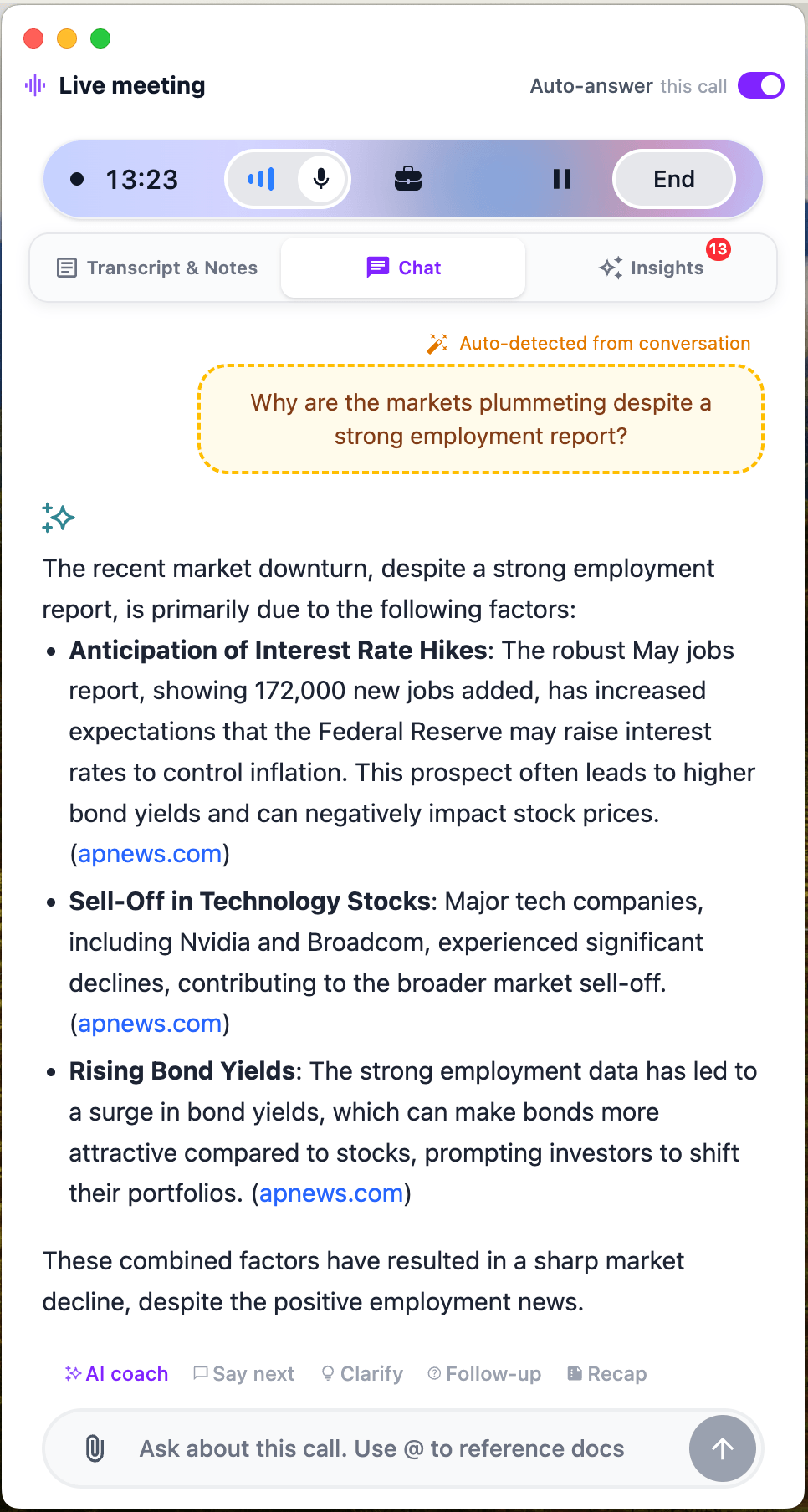
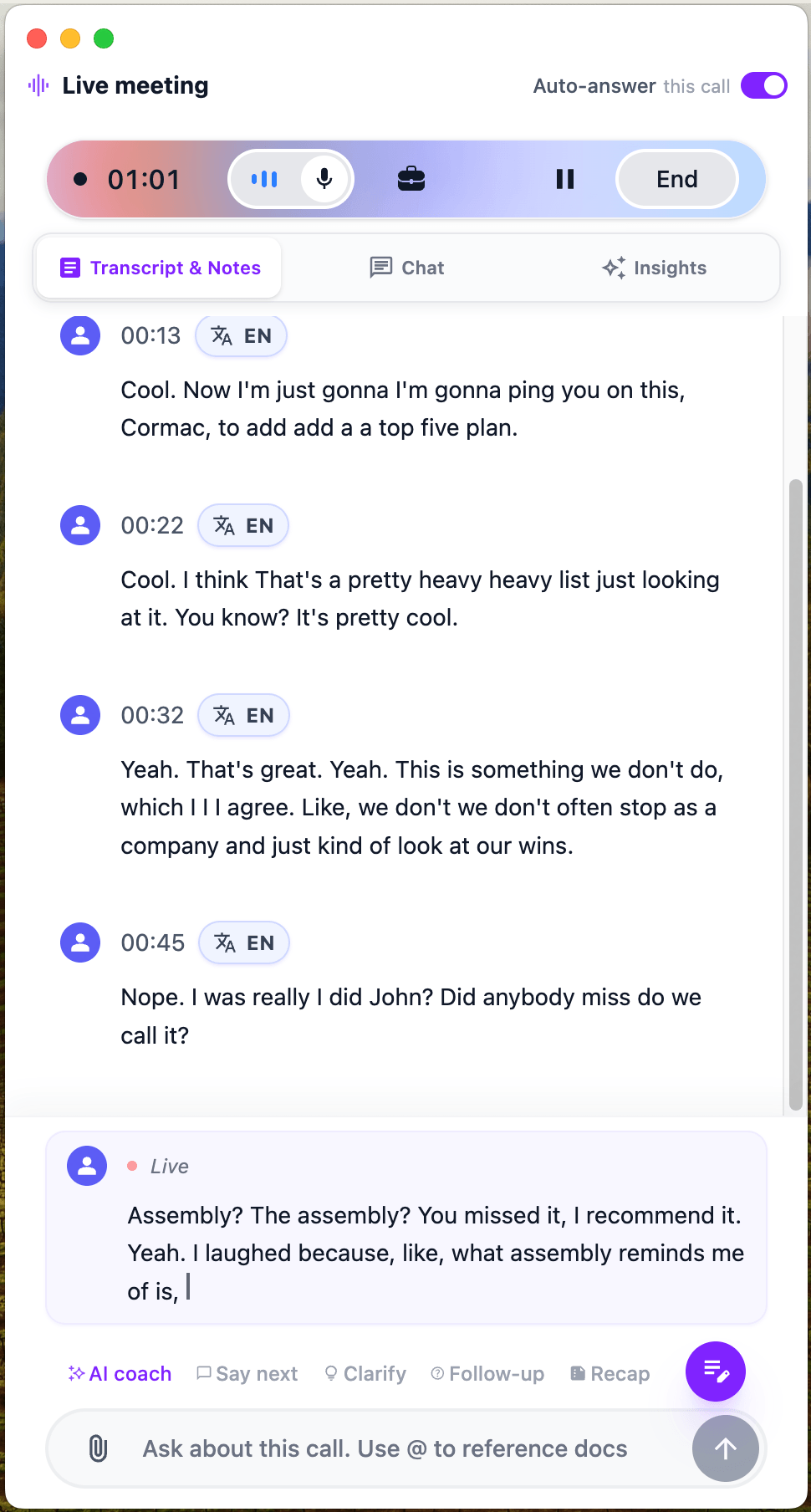
OLVA can generate answers using the context of the current conversation. It can also use relevant information from previous meetings, uploaded documents, and web search when available.
This can help users respond more confidently during customer calls, interviews, technical discussions, negotiations, and other important conversations.
Real-Time AI Insights
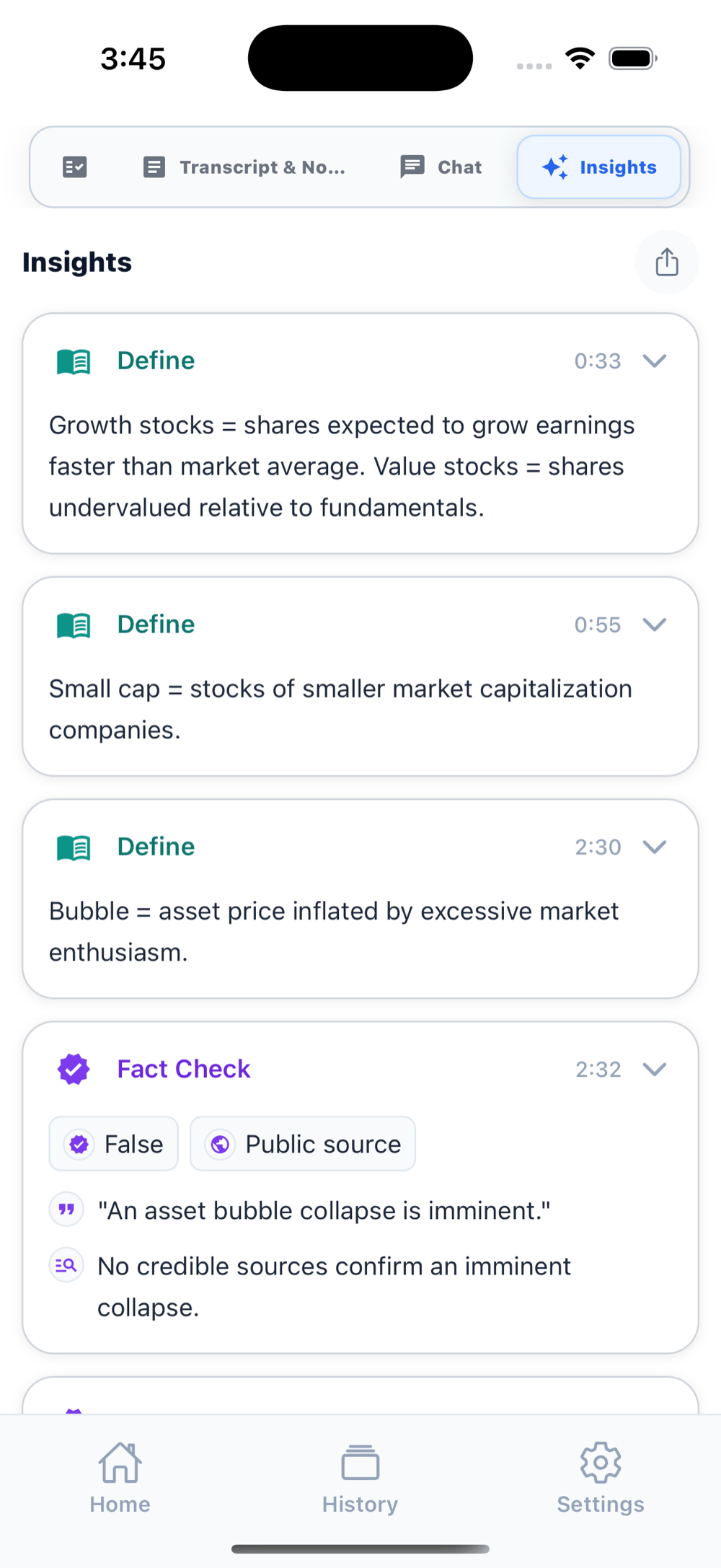
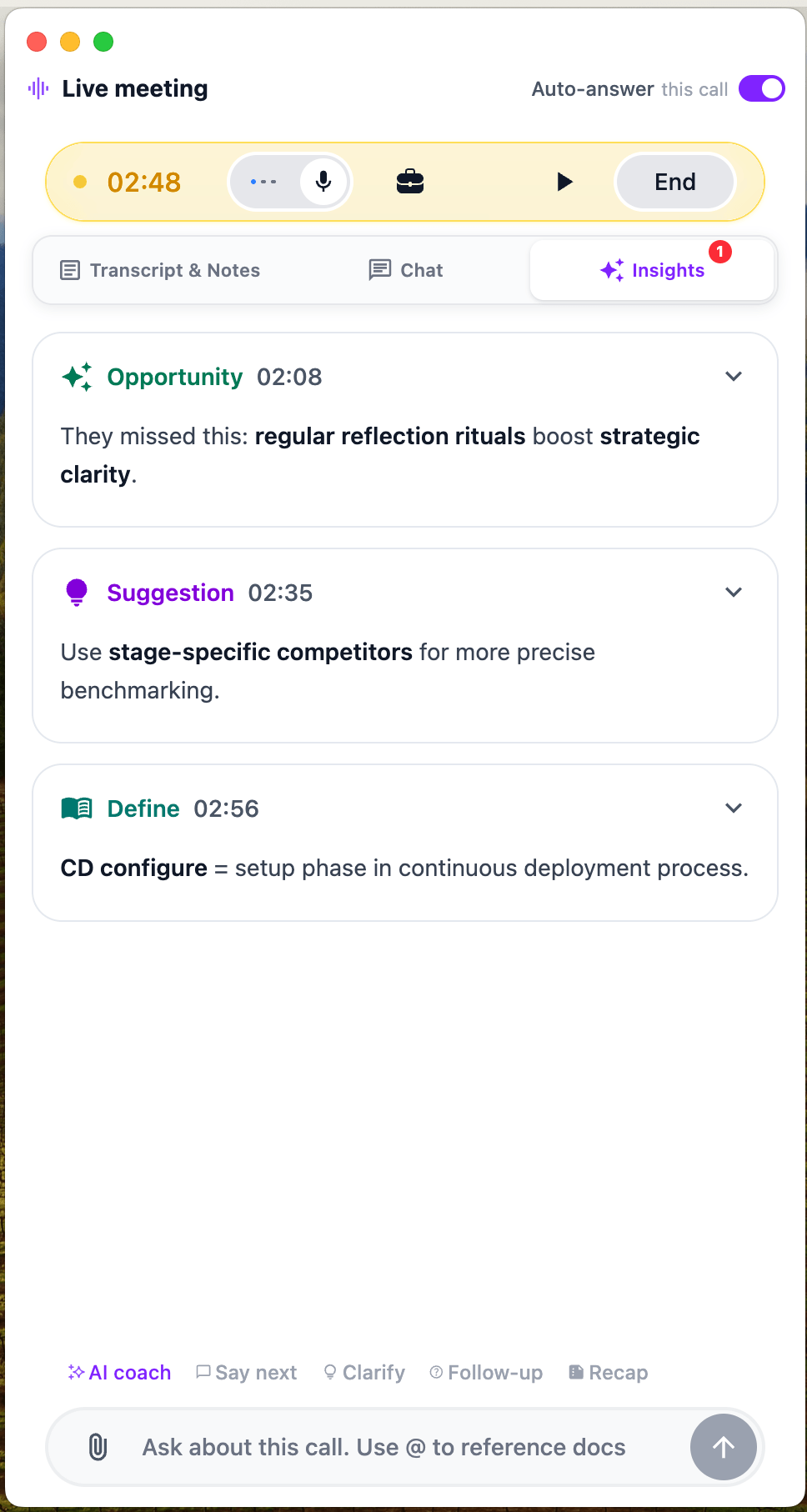
During a meeting, OLVA can identify and surface useful information such as:
* Important questions
* Risks and concerns
* Business opportunities
* Suggested responses
* Missing information
* Clarifications and definitions
* Potential follow-up points
* Relevant next questions
These insights are designed to help users understand the conversation more deeply without distracting them from the people they are speaking with.
Live Fact-Checking
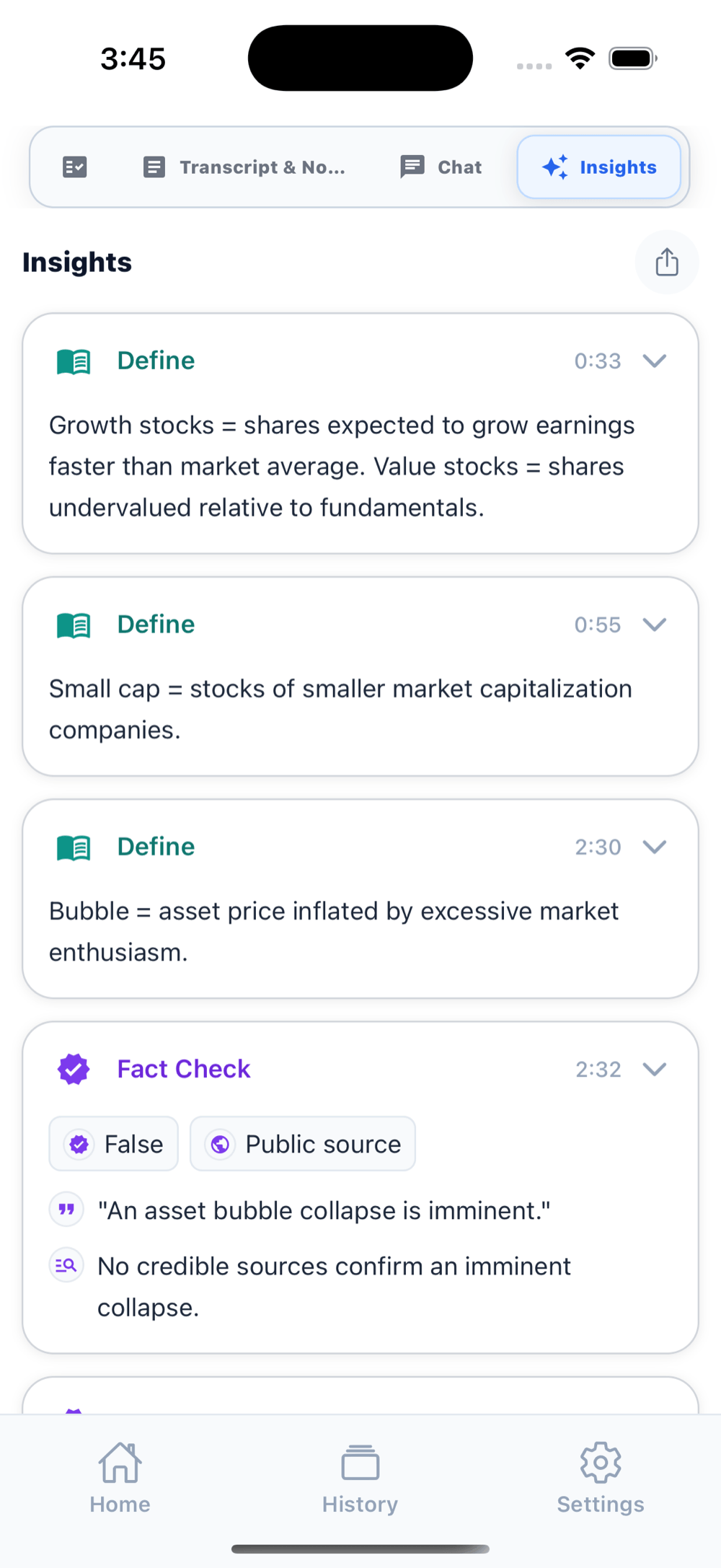
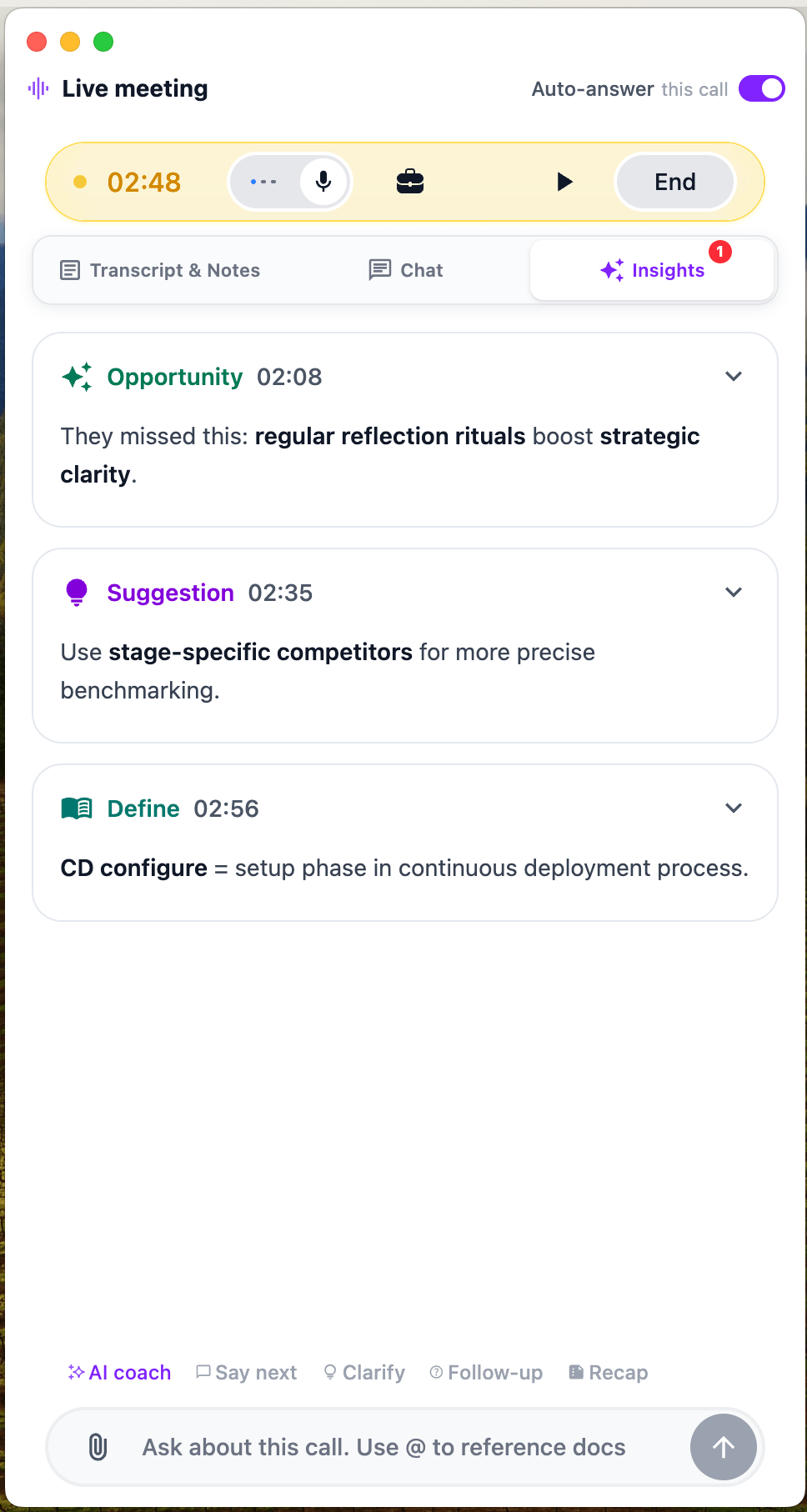
OLVA can help users examine claims and identify potentially conflicting information during a conversation.
This is especially useful in discussions involving technical details, statistics, market information, product claims, or complex business decisions.
AI Meeting Coach
OLVA provides real-time coaching to help users communicate more clearly and confidently.
It can support users during sales calls, customer conversations, interviews, negotiations, presentations, executive meetings, and other high-pressure situations where the quality of a response matters.
Persistent Meeting Memory
OLVA creates a searchable memory across meetings.
It can retain relevant context such as previous decisions, commitments, action items, open questions, and important discussion points. That context can then be used to provide more informed answers during future conversations.
For example, during a customer follow-up meeting, OLVA can help surface what was promised, which concerns were raised, and what next steps were agreed upon previously.
Chat With Current and Previous Meetings
Users can ask questions about the meeting currently in progress or chat with previous transcripts, summaries, decisions, and action items.
This allows OLVA to function as a searchable knowledge base for conversations instead of leaving important information scattered across notes, recordings, and calendar events.
Automatic Meeting Recaps
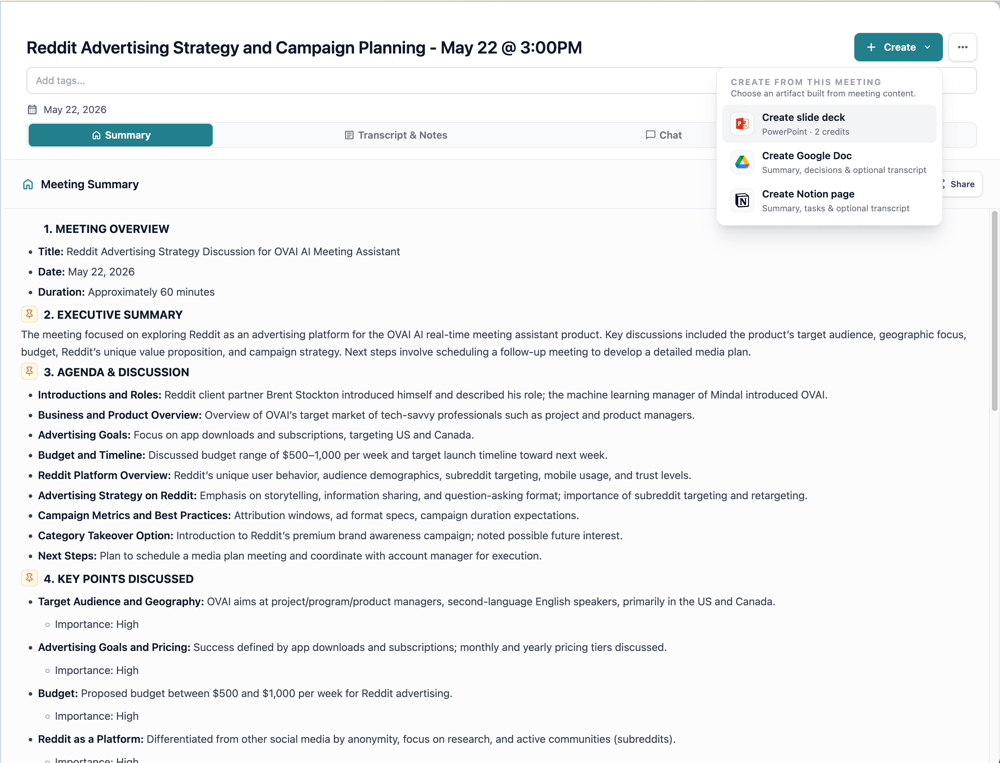
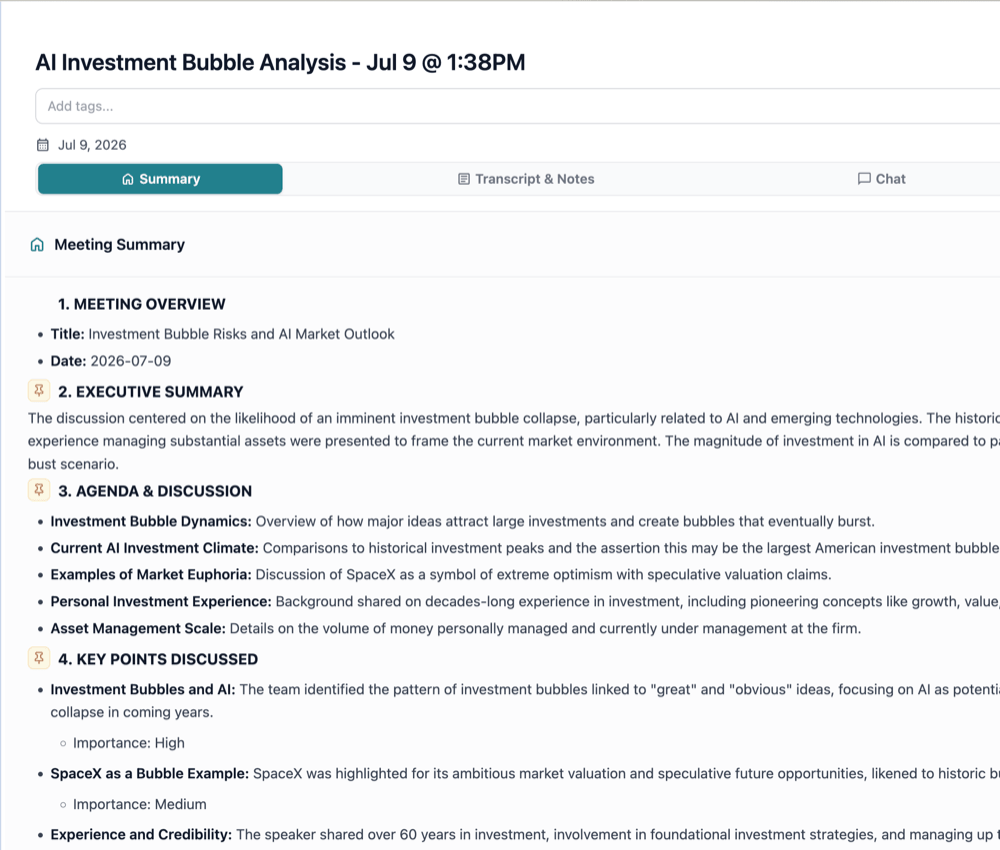
After a conversation, OLVA automatically organizes the information into useful outputs, including:
* Meeting summaries
* Action items
* Key decisions
* Open questions
* Important discussion points
* Follow-up notes
This helps users move from the meeting to the next task without spending additional time reviewing recordings or manually writing recaps.
Sticky Notes
Users can create private sticky notes during a meeting or generate notes from meeting summaries and action items.
Sticky Notes make it easier to capture reminders, ideas, follow-up questions, and important details without interrupting the conversation.
Google Docs Integration
Users can create or update Google Docs directly from meeting recaps while maintaining an organized folder structure.
This helps teams turn conversations into structured documentation without repeatedly copying and pasting meeting information.
Notion Integration
OLVA can send meeting summaries and action items directly to a user’s Notion workspace.
This is useful for teams that manage projects, documentation, customer information, or internal knowledge in Notion.
Outbound Webhooks
Teams can send signed meeting events to their own HTTPS endpoints using configurable outbound webhooks.
This allows organizations to build custom workflows and connect OLVA meeting information to internal tools, automation systems, CRMs, project-management platforms, and other business processes.
Some integrations and advanced capabilities may require a Pro subscription.
Support for 87 Languages
OLVA supports 87 languages and regional variants.
It can automatically detect language changes during multilingual conversations, making it useful for international teams, global customer calls, conferences, and professionals who regularly communicate in a second language.
Who Is OLVA For?
OLVA is designed for professionals who participate in important conversations and want private AI assistance during those conversations.It is particularly useful for:
Sales Professionals and Account Executives
OLVA can detect customer questions, suggest relevant answers, identify objections, highlight opportunities, and help users prepare stronger follow-up questions during sales conversations.
Account Managers and Customer Success Teams
OLVA’s persistent meeting memory can help account teams remember previous commitments, customer concerns, product requests, action items, and unresolved questions across multiple conversations.
Product Managers
Product managers can use OLVA to capture customer feedback, identify requirements, remember decisions, track open questions, and organize action items across discovery calls and internal meetings.
Program and Project Managers
Program and project managers can use OLVA to track decisions, responsibilities, dependencies, risks, timelines, and follow-up actions across recurring project meetings.
Founders and Executives
Founders and executives can receive real-time context and insights during investor calls, partnership discussions, leadership meetings, negotiations, and strategic conversations.
Recruiters and Job Candidates
Recruiters can use OLVA to stay organized during candidate conversations, while job candidates can use it to follow complex questions, understand context, and communicate more confidently.
OLVA should support human judgment rather than replace it, particularly in hiring and evaluation decisions.
Consultants
Consultants can use OLVA to capture client requirements, identify key concerns, remember commitments, and create structured follow-up notes after each conversation.
Professionals Communicating in a Second Language
OLVA can help users follow fast conversations, understand unfamiliar expressions, detect questions, and prepare clearer responses when communicating in a language other than their first language.
Networking and Conference Attendees
Using the mobile app, users can receive assistance during in-person conversations, networking events, conferences, customer visits, and informal business discussions.
Privacy and Data Handling
OLVA is designed to operate as the user’s private assistant rather than as another participant in the meeting.No visible OLVA bot joins the call, and OLVA does not appear as an additional participant in Zoom, Microsoft Teams, Google Meet, or other meeting platforms.
OLVA does not record or store the user’s voice or voiceprint. It captures meeting transcripts rather than keeping audio recordings.
Meeting transcripts, summaries, action items, decisions, and generated insights are stored in the user’s account for their own reference. This information is private to the user and is not used to train AI models. OLVA does not use meeting content to train AI models.
Users can access, manage, and delete their meeting content through their accounts.
Users remain responsible for following applicable consent requirements, workplace policies, and local laws when using transcription or AI assistance during conversations.
Platform Availability
OLVA is available on:* macOS
* Windows
* iPhone
* Android
The desktop applications can support online meetings and other computer-based conversations, while the mobile applications make it possible to use OLVA during in-person meetings, conferences, networking events, and conversations away from a computer.
What Makes OLVA Different?
Most AI meeting assistants focus primarily on what happens after a meeting: recording the conversation, producing a transcript, and generating a summary.OLVA also provides those post-meeting capabilities, but its main difference is that it helps while the conversation is happening.
It can automatically detect questions, generate contextual answers, surface insights, provide coaching, support fact-checking, and bring relevant information from previous meetings into the current discussion.
This makes OLVA more than an AI notetaker. It is a private, real-time conversation assistant designed to help users understand more, respond with confidence, and maintain useful memory across every important conversation.
OLVA offers a free plan, and users can learn more or download the application at OLVA.ai.