

- 01What Makes an App Work for ADHD?
- 021. FOCO — Best All-in-One ADHD Productivity App
- 032. Focusmate — Best for Body Doubling
- 043. Structured — Best Visual Daily Planner
- 054. Tiimo — Best ADHD-Specific Daily Planner
- 065. Todoist with ADHD Setup — Best Flexible Task Manager
- 076. Forest — Best for Focus Sessions
- 087. TickTick — Best All-Rounder with Built-in Pomodoro
- 09Comparison Table
- 10Frequently Asked Questions
- 11Building an ADHD Productivity System That Sticks (2026)
Best ADHD Productivity Apps for iPhone and Android in 2026
Apps designed around how ADHD brains actually work — not the ones that just add more items to ignore on your to-do list.
Most productivity apps fail people with ADHD not because they’re bad apps, but because they’re designed for neurotypical brains. They assume you’ll check a to-do list voluntarily, remember what’s on it, and feel motivated by checking items off. ADHD productivity requires different architecture: visual timelines, body doubling, external reminders, and low-friction task capture. Here’s what actually works.
What Makes an App Work for ADHD?
ADHD productivity tools work best when they: externalise time (show time passing visually), reduce task-switching friction (one tap to start), provide accountability (body doubling, streaks), and have minimal cognitive load to use (complex setup = abandoned within a week). The best apps feel like support structures, not systems to maintain.1. FOCO — Best All-in-One ADHD Productivity App
FOCO is an all-in-one ADHD productivity app for people who feel overwhelmed by their to-do list and struggle to get started. It brings together a daily planner, AI-powered task breakdown, focus sessions, and a friendly character that makes the experience feel more encouraging and less overwhelming.
When a task feels too big or unclear, FOCO’s AI chat helps break it into smaller, more manageable steps. You can then add those steps to your plan and start a focus session, turning “I don’t know where to begin” into one clear next action.
- Platform: iOS and Android
- Best for: People with ADHD who want help planning, breaking down tasks, and getting started
- What’s included: Daily planner, AI task breakdown through chat, focus sessions, and a friendly in-app character
Unlike apps that focus on just one part of productivity, FOCO brings planning and action support together in one place. It’s a useful choice for people looking for an ADHD planner that can help them organize their day, tackle procrastination, and make overwhelming tasks feel more doable.
2. Focusmate — Best for Body Doubling
Body doubling (working alongside another person, even virtually) is one of the most evidence-backed ADHD productivity strategies. Focusmate matches you with a real person for a 25, 50, or 75-minute video session. You both state your goals at the start, work silently on camera, and check in at the end.- Platform: Web, iOS, Android
- Cost: Free (3 sessions/week) or $6.99/month unlimited
- Best for: Anyone who works better when they know someone can see them working
The accountability isn’t pressure — it’s just the presence of another person. Many ADHD users describe Focusmate as “the only thing that actually gets me to start tasks.”
3. Structured — Best Visual Daily Planner
Structured displays your day as a visual timeline rather than a list. Each task occupies a time block on a scrollable timeline, so you can see at a glance how much of the day is left and what’s coming up. This visual time representation is specifically helpful for ADHD time blindness.- Platform: iOS and Android
- Cost: Free basic / ~$29.99/year for Pro
- Best for: ADHD users who struggle to feel how much time has passed
Structured syncs with Calendar and Reminders (iOS) so your existing commitments automatically appear on the timeline. The drag-and-resize interface for moving tasks is satisfying and fast.
4. Tiimo — Best ADHD-Specific Daily Planner
Tiimo is built specifically for people with ADHD, autism, and other cognitive profiles. It uses visual icons, colour coding, and a circular timer display to make the day feel concrete rather than abstract. Tasks have pictures/emoji alongside text, which engages more of the brain than text alone.- Platform: iOS and Android
- Cost: ~$4.99/month or $39.99/year
- Best for: Visual thinkers who find text-only planners disengaging
5. Todoist with ADHD Setup — Best Flexible Task Manager
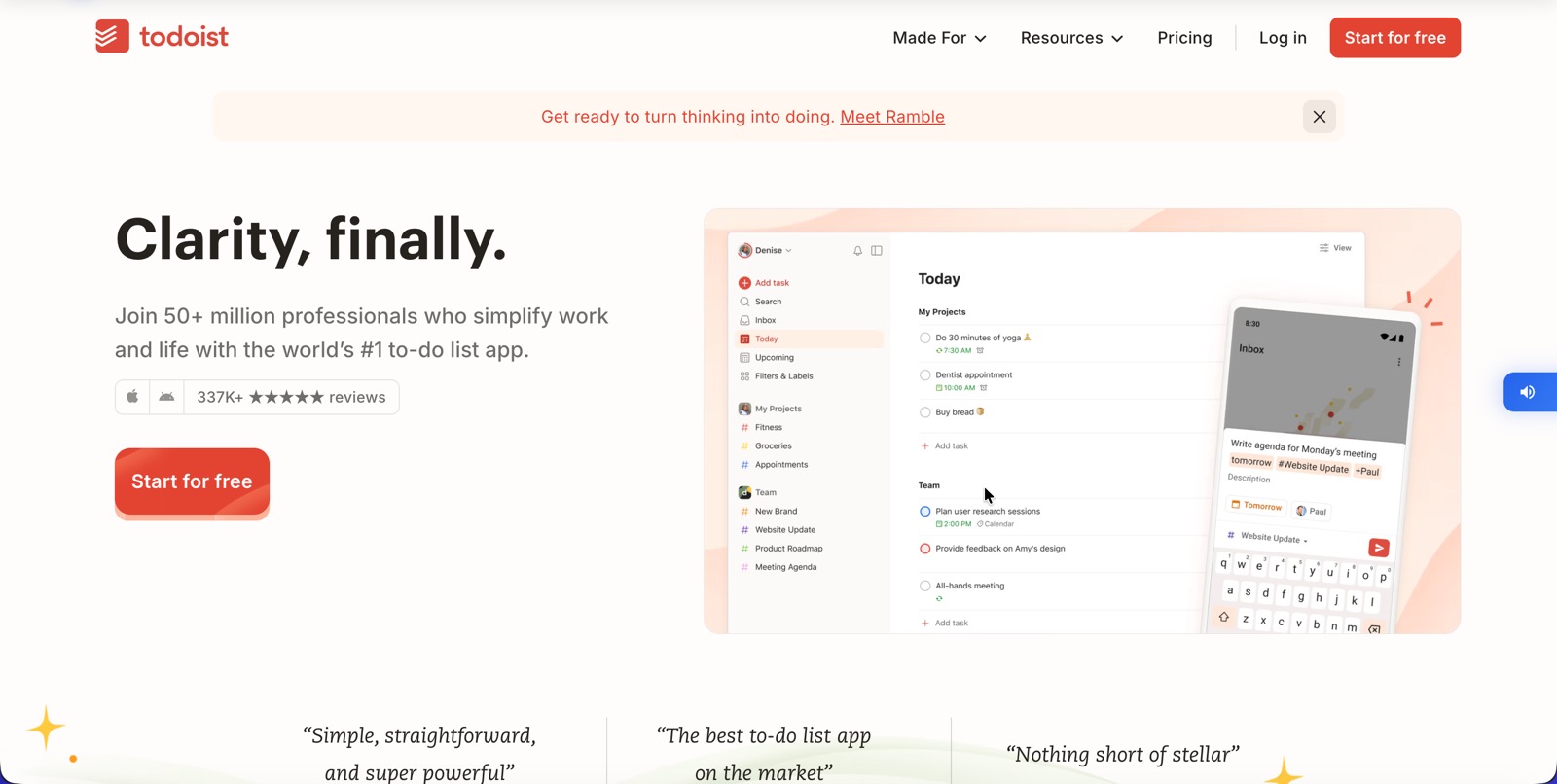
Todoist isn’t ADHD-specific but it’s highly customisable and used by many ADHD communities effectively. The key is setting it up in ADHD-friendly ways: no more than 3–5 tasks in “Today” view, using the natural language input (“email John tomorrow at 10am” creates the task automatically), and enabling the Karma system for dopamine feedback from completing tasks.- Platform: iOS, Android, Web, desktop
- Cost: Free / $4/month Pro
- Best for: ADHD users who need flexibility and cross-platform access
6. Forest — Best for Focus Sessions
Forest gamifies focus sessions by growing a virtual tree while you stay off your phone. The tree dies if you leave the app — a visual, emotionally engaging consequence that many ADHD users find more compelling than generic timers.- Platform: iOS, Android
- Cost: ~$3.99 one-time (iOS) / free with ads (Android)
- Best for: Phone distraction as the main ADHD obstacle
7. TickTick — Best All-Rounder with Built-in Pomodoro
TickTick combines task management with a built-in Pomodoro timer, habit tracker, and calendar view. The Pomodoro integration means you can click “Focus” on any task and immediately start a timed work session without switching apps. Good for ADHD users who respond well to structured work intervals.- Platform: iOS, Android, Web, desktop
- Cost: Free / $27.99/year Premium
Comparison Table
| App | Best For | iOS | Android | Cost |
|---|---|---|---|---|
| Focusmate | Body doubling / accountability | ✅ | ✅ | Free / $7/mo |
| Structured | Visual time blocking | ✅ | ✅ | Free / $30/yr |
| Tiimo | Visual ADHD-specific planning | ✅ | ✅ | $5/mo |
| Todoist | Flexible task management | ✅ | ✅ | Free / $4/mo |
| Forest | Phone distraction blocking | ✅ | ✅ | $4 one-time |
| TickTick | Tasks + Pomodoro combined | ✅ | ✅ | Free / $28/yr |
Frequently Asked Questions
What is the single best ADHD productivity app?
Focusmate for most people — the body doubling mechanism is uniquely effective for ADHD task initiation. If you already have a task manager you like, add Focusmate on top of it rather than replacing your existing system.
Do ADHD apps actually help or is it just another system to abandon?
Apps designed around ADHD neuroscience (visual timers, body doubling, low-friction capture) have better sustained adoption than generic productivity tools. The key is picking one app for one problem rather than building an elaborate system — complexity is the enemy of ADHD productivity.
What app is best for ADHD time management specifically?
Structured and Tiimo are both built around visual time representation, which directly addresses ADHD time blindness. Structured is the more polished option; Tiimo is more playful and accessible.
Building an ADHD Productivity System That Sticks (2026)
The best ADHD productivity app is the one you will actually open, so start with a single tool that removes your biggest daily friction – usually capturing tasks before they vanish, or blocking the distractions that derail focus. Layer in a simple routine rather than a complex system, since ADHD brains do better with fewer, clearer steps. Pair a focus app with a capture/task app and a planner, and let each do one job well. The apps below cover those roles; pick one per role instead of trying them all at once.What is the best productivity app for ADHD?
There is no single winner – it depends on your biggest challenge. For focus and blocking distractions, a dedicated focus app works best; for remembering tasks, a low-friction task app; for planning, a visual planner. The apps ranked above are chosen for exactly these ADHD-specific needs. Start with the one that targets your worst daily struggle and add others only once it becomes a habit.
Go deeper: the best focus apps for ADHD, a realistic ADHD morning routine system, how to fight distraction and stop doomscrolling, and the best journals and planners for ADHD.