
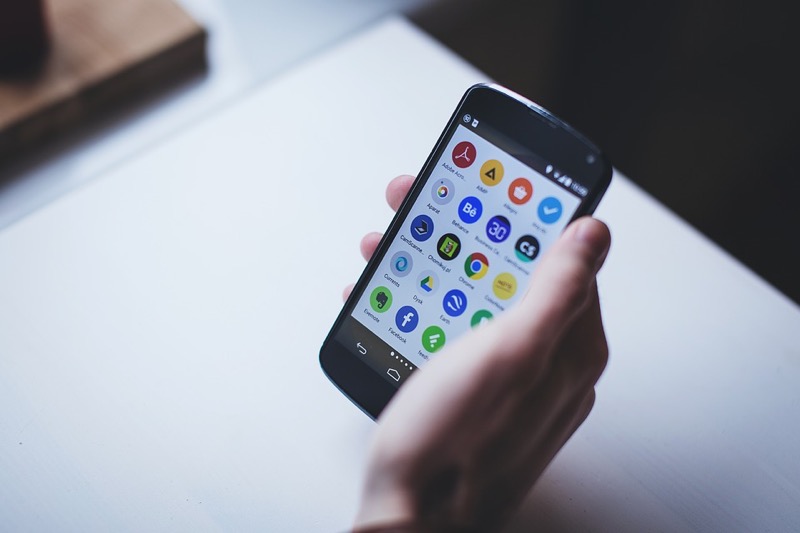
You upgraded to a new phone and your old one is sitting in a drawer. Before you recycle or sell it, consider that a smartphone with a cracked screen or degraded battery is still a capable computer with a camera, microphone, sensors, and Wi-Fi. Here are five genuinely useful things you can do with it.
Short Answer: The most useful repurposes for an old smartphone: security/baby monitor camera, dedicated music player, smart home hub, kids’ device with parental controls, or a bedside alarm clock with no notification distractions.
1. Security Camera or Baby Monitor
A Wi-Fi-connected phone with a camera is 90% of what a dedicated security camera does. Apps like Alfred Camera (free, iOS and Android) turn an old phone into a live-streaming security camera you can watch from your new phone in real-time.
Set the old phone in a window facing the entrance, mount it near a baby’s crib, or point it at a pet area. Alfred runs in the background, records motion-triggered clips, and streams live video. It’s free for basic use, with a paid tier for cloud storage and HD recording.
📸 SCREENSHOT NEEDED: Old smartphone mounted on a small tripod on a windowsill, showing the Alfred Camera app interface with the live view active
2. Dedicated Music and Podcast Player
Using your main phone for music means battery drain and distraction during workouts or commutes. An old phone loaded with Spotify, YouTube Music, or a podcast app (Pocket Casts, Overcast) becomes a dedicated audio device — always charged, always ready, with no notifications interrupting your listening.
Store music offline on the old phone’s storage and you don’t even need a data connection. Pair it with a Bluetooth speaker or headphones and it works like a dedicated iPod.
3. Smart Home Hub and Controller
An old phone mounted on a wall or kitchen counter makes an excellent smart home dashboard. Install Google Home, Amazon Alexa, or Apple Home on it, keep it always plugged in, and it becomes a permanent touchscreen controller for your lights, thermostat, plugs, and other smart home devices.
Apps like Fully Kiosk Browser can lock the phone into a single dashboard app, making it feel like a proper dedicated smart home panel rather than a phone running an app.
📸 SCREENSHOT NEEDED: Old Android phone mounted on a kitchen wall with Fully Kiosk Browser running a smart home dashboard showing lights and temperature controls
4. Kid’s Device with Parental Controls
A factory-reset old phone with a Kids Mode app installed is a safer device for children than your primary phone. Set it up without a SIM card so it only works on home Wi-Fi, install only approved apps, and use the built-in parental controls to limit screen time and content.
Android: Settings → Digital Wellbeing → Parental Controls, or Google Family Link for full parental supervision.
iPhone: Settings → Screen Time → enable Family Sharing to connect your child’s device to your parental account.
5. Bedside Alarm Clock (Distraction-Free)
Keep your main phone across the room at night and use the old phone solely as an alarm clock. This removes the temptation to scroll before sleep and forces you to physically get up to turn off the alarm. Put it on Airplane Mode and it won’t receive calls or notifications — just alarms.
Sleep tracking apps (Sleep Cycle, Samsung Health’s sleep tracking) also work well on an old phone kept on the nightstand, using the microphone to monitor sleep quality without consuming your main phone’s battery.
Before Repurposing:
Factory reset the old phone first to clear personal data. Install only the apps needed for its new purpose. Keep it plugged in for always-on uses (security camera, smart home hub). Most old phone batteries handle trickle charging well when kept between 20-80%.
Quick checklist:
- ✅ Alfred Camera (free) for security cam or baby monitor — live stream to your new phone
- ✅ Dedicated music/podcast player with offline storage — no distractions
- ✅ Smart home dashboard with Fully Kiosk Browser — wall-mount it
- ✅ Kid’s device: factory reset + parental controls + Wi-Fi only
- ✅ Bedside alarm: Airplane Mode removes all distractions, sleep tracking as bonus
Frequently Asked Questions
Does the old phone need a SIM card for these uses?
No — all five uses above work on Wi-Fi only. Remove the SIM card or keep it deactivated. The phone functions as a pocket tablet on your home network.
What if the battery is degraded?
For stationary uses (security camera, smart home hub, bedside clock), keep the phone plugged in permanently. For portable uses (music player), a degraded battery just means shorter untethered sessions — perfectly acceptable for a secondary device.
Is it safe to leave an old phone plugged in 24/7?
Modern phones stop charging at 100% and don’t overcharge. Leaving them plugged in is safe from a fire perspective. Battery health degrades slightly over time when always at 100%, but for a phone that’s already old, this doesn’t matter.
Should I sell it instead of repurposing it?
If your old phone is a recent flagship in good condition, selling it (on Cashify, OLX, or Amazon India Trade-in) may give you Rs 5,000-20,000+ toward your next phone. Repurposing makes more sense for phones too old or damaged to fetch a good price.
More Android Tips ↗Back to Techtippr
An old phone is a surprisingly capable device for the right secondary role. The security camera and smart home hub use cases are particularly compelling — they deliver real utility for zero cost beyond the phone you already own. Pick the one that solves a problem in your life and set it up this weekend.