
You don’t need to pay for a Microsoft 365 subscription to use Word, Excel, and PowerPoint. Microsoft offers several free options — some web-based, some downloadable. Here’s what’s actually available and which one to use depending on your situation.
Short Answer: Microsoft 365 Online (office.com) is the easiest free option — Word, Excel, and PowerPoint work in your browser with no install or subscription. Students get the full desktop apps free through their school. There’s also a free mobile version for phones with screens under 10.1 inches.
Option 1: Microsoft 365 Online (Browser — Free Forever)
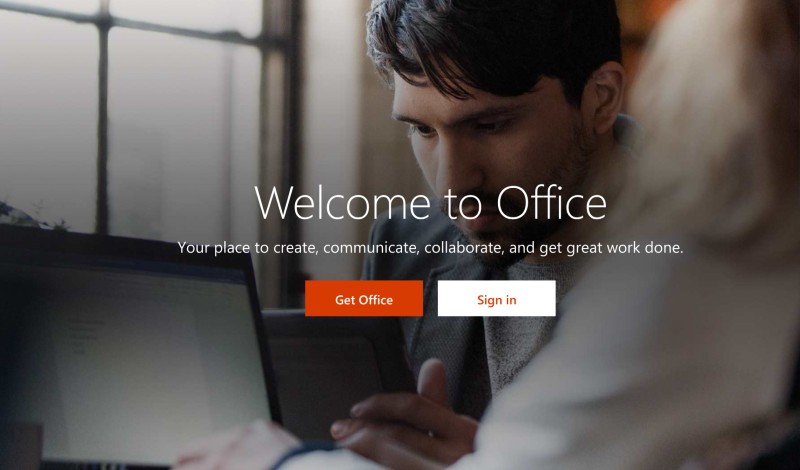
Go to office.com, sign in with a free Microsoft account (or create one), and you get online versions of Word, Excel, PowerPoint, OneNote, and more — completely free, no trial period.
These aren’t cut-down previews. You can create, edit, and share real .docx, .xlsx, and .pptx files. The main limitation is that some advanced features (like Excel macros, advanced pivot tables, or Word’s advanced formatting tools) require the desktop app.
How to start:
Go to office.com → Sign in with Microsoft account → Click any app → Start working
Files are saved automatically to OneDrive (5 GB free storage included). You can also open and edit files already stored on your computer by uploading them.
Option 2: Free Microsoft 365 for Students
If you’re enrolled at a school or university, you likely qualify for the full Microsoft 365 desktop apps for free — not just the web versions. This includes the complete versions of Word, Excel, PowerPoint, Outlook, Teams, and OneNote.
To check eligibility: go to microsoft.com/en-us/education/products/office and enter your school email address. If your institution has signed up with Microsoft, you’ll be prompted to create an account and download the apps. Many students don’t know this exists.
📸 SCREENSHOT NEEDED: Microsoft 365 Education sign-up page showing the school email entry field
Option 3: Microsoft 365 Mobile (Free for Phones)
On smartphones and tablets with screens smaller than 10.1 inches, the Microsoft 365 mobile apps are completely free — including editing. Download Word, Excel, or PowerPoint from the Google Play Store or Apple App Store and sign in with a free Microsoft account.
On tablets larger than 10.1 inches (or to use advanced features), you need a paid subscription. For phone use, the free apps are fully functional.
Option 4: LibreOffice (Free Desktop Alternative)
If you need full desktop Office apps without a browser or Microsoft account, LibreOffice is the best free alternative. It opens and saves .docx, .xlsx, and .pptx files, and includes a word processor, spreadsheet, presentation, and database tool.
Download it at libreoffice.org — available for Windows, Mac, and Linux. It’s open source and has no subscription, no trial period, and no feature limitations. The interface looks different from Microsoft Office, but it handles most documents correctly.
Warning: LibreOffice sometimes has formatting differences when opening complex Word or Excel files. For simple documents, it’s perfect. For heavily formatted corporate templates, results may vary.
What You Can’t Do for Free
The free options don’t cover everything. To use these features, you need a paid Microsoft 365 subscription:
- Excel macros (VBA automation)
- Advanced Mail Merge in Word
- Offline desktop apps (unless you’re a qualifying student)
- PowerPoint advanced animations and presenter coach
- Outlook desktop client (the web version is free)
Quick checklist:
- ✅ Have a Microsoft account (free at microsoft.com) for Office Online
- ✅ Checked student eligibility at microsoft.com/en-us/education/products/office
- ✅ Installed Microsoft 365 app on phone if you need mobile editing
- ✅ Tried LibreOffice if you want offline desktop apps without Microsoft
Frequently Asked Questions
Is Microsoft 365 Online really free, with no time limit?
Yes. Office Online (now called Microsoft 365 Online) has been free since 2013. There’s no trial period — Microsoft’s business model is to sell the premium desktop subscription while keeping the web version free to compete with Google Docs.
Can I open .docx files in Office Online?
Yes. Upload any .docx, .xlsx, or .pptx file to OneDrive and open it in the corresponding Office Online app. Formatting is preserved for most documents.
Is Google Docs a good alternative to Microsoft Word?
For most everyday documents, yes. Google Docs is free, works in any browser, and saves automatically to Google Drive. It can open and export .docx files. The main reason to use Microsoft is if you’re sharing documents with people who specifically need Office formatting to be exact.
Can I use Microsoft Office on a Chromebook for free?
Yes — use Microsoft 365 Online in the Chrome browser, or install the Android apps from the Play Store (free for screens under 10.1 inches, which covers most Chromebooks).
Conclusion
For web and mobile use, office.com covers almost everything most people need — free, with no time limit. Students should absolutely check eligibility for free desktop apps through their school. If you need offline desktop software and don’t want to pay, LibreOffice is the right choice.
Looking for more productivity tools? See our guide to the best free productivity apps and Google Docs tips.