
Paid antivirus is better — that’s just a fact. But the gap between free and paid has narrowed enough that free options are worth recommending for gamers who don’t want another subscription. The catch: most free antivirus products are ad-laden, upsell-heavy, and some have genuinely shady data practices. These are the ones that actually hold up.
Short Answer: Windows Defender (built into Windows 10/11) is the best free antivirus for gaming — zero extra resource overhead, solid detection rates, and no upselling. Malwarebytes Free is the best supplement for on-demand scanning. Avoid Avast and AVG Free due to data collection practices.
Windows Defender — still the best free option
Microsoft Defender Antivirus ships with Windows 10 and 11 and runs whether you install anything else or not. This is the key point many gamers miss: if you’re running Windows without any third-party antivirus, Defender is already active. Adding a free third-party antivirus means running two security tools simultaneously — which is worse for performance, not better.
Detection rates: Defender now consistently scores 99–100% in AV-TEST and AV-Comparatives tests. The gap from 2015, when Defender was genuinely poor, has closed. For a gaming PC used for gaming and regular browsing, Defender is adequate coverage.
Limitations: no dedicated gaming mode (scans don’t pause for full-screen apps automatically), no ransomware file protection by default (enable it manually), and less sophisticated phishing protection than paid suites.
How to strengthen Windows Defender for gaming:
- Enable Controlled Folder Access (ransomware protection): Windows Security → Virus & Threat Protection → Ransomware Protection → On
- Add your games folder as a scan exclusion to eliminate any real-time scanning overhead
- Schedule scans for idle periods in Windows Security → Scheduled Scan
Malwarebytes Free — best on-demand scanner
Malwarebytes Free doesn’t include real-time protection (that’s Premium), but its on-demand scanner is excellent at catching malware that Defender misses — particularly adware, PUPs (potentially unwanted programs), and browser hijackers common in the gaming space (bundled with cheat software, mod loaders, and free game trainers).
The workflow: use Windows Defender for always-on protection and run Malwarebytes Free once a week or after installing anything suspicious. This combination is free and covers most threat vectors a gamer faces.
Avira Free Security — best free option with extras
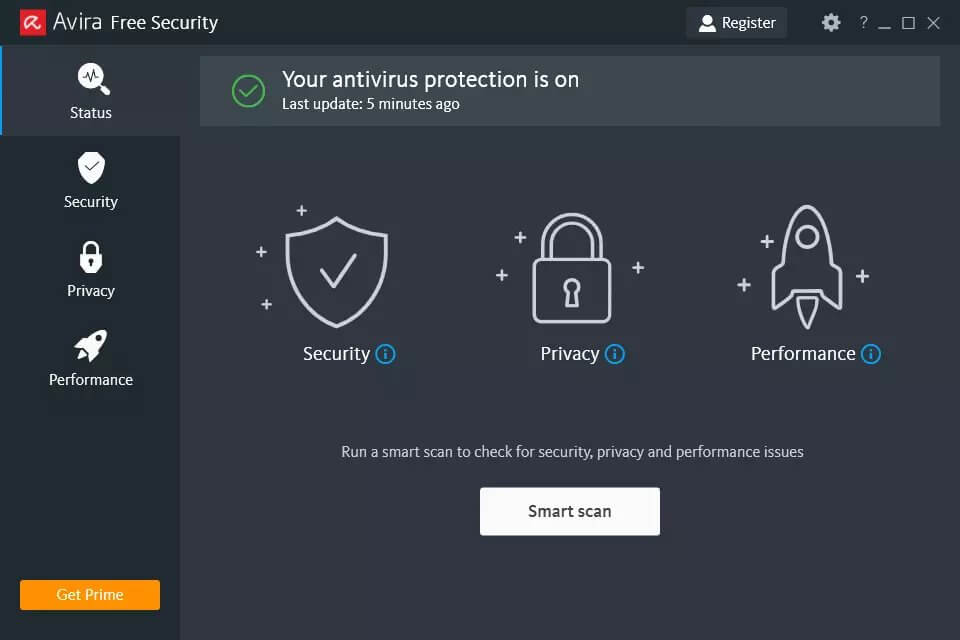
Avira Free Security includes a real-time scanner, a VPN (500MB/day limit — too low for gaming but useful for occasional browsing), and a system optimiser. Detection rates are excellent. The free version has some upsell prompts but is less aggressive about it than Avast or AVG. It does collect anonymised usage data by default — you can opt out in settings.
What to avoid: Avast and AVG Free
Both products have been caught selling user browsing data to third parties through their Jumpshot subsidiary (shut down in 2020 after the practice was exposed, but the underlying data infrastructure remains). Both are owned by NortonLifeLock (now Gen Digital). If you’re concerned about data privacy, neither is recommended despite their strong detection rates.
Warning: Many “free antivirus” tools found via Google ads are not legitimate security products — they’re scareware or adware that displays fake infection warnings to pressure you into buying the paid version. Stick to products from well-known vendors (Microsoft, Malwarebytes, Avira) downloaded from their official sites.
When to upgrade to paid antivirus
Windows Defender + Malwarebytes Free is sufficient for most gaming PCs. Consider upgrading to paid if: you frequently download mods, patches, or unofficial game files from less reputable sources; you want automatic gaming mode so scans don’t interrupt gameplay; you want account monitoring and breach alerts for your gaming credentials; or you want ransomware protection for a large game library.
See: Best antivirus for gaming PC for paid options from ~$40/yr.
Checklist — Free antivirus gaming setup:
- ✅ Windows Defender active (don’t disable it)
- ✅ Controlled Folder Access enabled (ransomware protection)
- ✅ Games folder added as scan exclusion
- ✅ Malwarebytes Free installed for weekly on-demand scans
- ✅ Scheduled Defender scan set to idle/off-hours
- ✅ 2FA enabled on all gaming accounts
FAQ
Is Windows Defender good enough for gaming in 2026?
Yes, for most gamers. It has 99%+ detection rates and costs nothing extra. Its main weakness is no automatic gaming mode and no account-focused protection. Adding Malwarebytes Free fills the gap for mod and cheat software scanning.
Does free antivirus slow down gaming more than paid?
Not inherently. Windows Defender’s performance impact on gaming is 2–5% in benchmarks — similar to many paid products. The issue is that free third-party products often have more aggressive background activity (telemetry, update checks, upsell pings) that adds overhead. Windows Defender has none of this extra overhead.
Can I use two free antivirus programs together?
Not two real-time scanners — they’ll conflict and degrade performance significantly. Windows Defender + Malwarebytes Free is the correct pairing because Malwarebytes Free is an on-demand scanner only (no real-time component in the free tier). The two don’t conflict.
Related: Best antivirus for gaming PC (paid) | Does antivirus slow down gaming? | Best password manager for gamers
Try Bitdefender Free Trial ↗VPN Picker →