
- 01Why gamers need a password manager
- 02Best password managers for gamers — comparison
- 031Password — best overall for gamers
- 04Bitwarden — best free password manager for gamers
- 05Dashlane — best for breach monitoring
- 06Securing your gaming accounts — beyond the password manager
- 07Does a password manager work with Steam and Epic Games launchers?
- 08FAQ
Your Steam library might be worth more than you think. A collection of games, rare skins, and in-game items can represent hundreds or thousands of dollars — and attackers know it. Gaming accounts are among the most stolen credentials online, targeted through phishing, info-stealers, and credential stuffing. A password manager is the easiest fix that most gamers overlook.
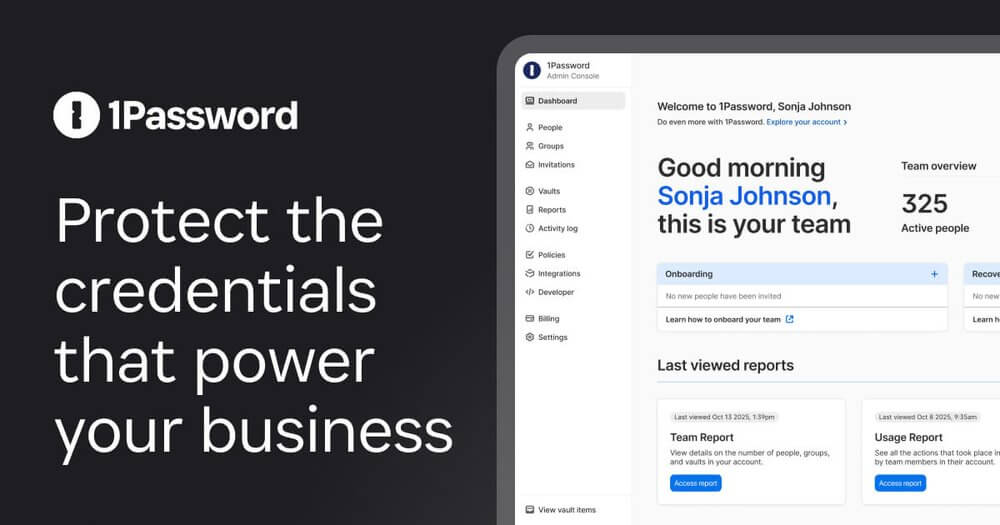
Short Answer: 1Password is the best password manager for gamers — it has a desktop app that doesn’t interfere with games, stores gaming 2FA codes alongside passwords, and has a gaming-friendly browser extension that auto-fills without slowing you down. Bitwarden is the best free option.
Why gamers need a password manager
Most gamers use the same password across Steam, Epic Games, Battle.net, Origin, Riot, PlayStation Network, and Xbox Live — and that password is often something memorable and short. When one of those platforms suffers a data breach (and they do — regularly), attackers use those credentials to log into every other account. A password manager generates and stores a unique, complex password for every account, so a breach of one platform doesn’t cascade into losing everything.
Beyond password reuse, gaming platforms are targeted by info-stealing malware that harvests saved browser passwords and session cookies. A dedicated password manager stores credentials in an encrypted vault — much safer than your browser’s built-in password saving.
Best password managers for gamers — comparison
- 1Password — Best overall. Clean desktop app, 2FA code storage, Travel Mode (hide sensitive vaults), excellent browser extension. ~$36/yr.
- Bitwarden — Best free. Open-source, free tier covers unlimited passwords across unlimited devices. Premium is $10/yr.
- Dashlane — Best for dark web monitoring. Alerts you if your gaming credentials appear in data breaches. ~$40/yr.
- NordPass — Best from a VPN provider. Good integration if you already use NordVPN. ~$22/yr.
- LastPass — Familiar, but had a significant breach in 2022. Not recommended for new users.
1Password — best overall for gamers
1Password’s desktop app runs in the system tray and stays out of the way while gaming. It doesn’t inject itself into game overlays or run intrusive background processes. The browser extension auto-fills credentials on gaming platform web portals (Steam store, Epic store, etc.) and recognises gaming account login pages reliably.
The most useful feature for gamers: 1Password can store both your password and your TOTP 2FA codes for each account. When you log into Steam on a new device, instead of scrambling for your authenticator app, 1Password auto-fills the 2FA code from the same vault entry. Watchtower (1Password’s breach monitoring) alerts you if any of your credentials appear in a known data breach.
- Auto-fill: browser extension + desktop app
- 2FA storage: yes (TOTP codes)
- Breach monitoring: Watchtower (built-in)
- Platforms: Windows, Mac, iOS, Android, Linux
- Price: $2.99/mo (~$36/yr)
Bitwarden — best free password manager for gamers
Bitwarden is open-source, independently audited, and its free tier is genuinely complete — unlimited passwords, unlimited devices, browser extensions for all major browsers, and desktop apps. The free tier doesn’t include 2FA code storage (that’s Premium at $10/yr) or advanced breach reports, but for pure password management it’s unmatched at the price.
The interface is functional rather than beautiful, and the auto-fill on Windows desktop apps (as opposed to browser-based logins) requires some manual setup. But for gamers who want strong security without paying anything, Bitwarden is the honest recommendation.
Dashlane — best for breach monitoring
Dashlane monitors the dark web continuously and alerts you in real time if your gaming email or passwords appear in a breach or credential dump. Given how frequently gaming platforms are targeted, this is genuinely useful. It also includes a built-in VPN (Hotspot Shield), though that’s not a substitute for a dedicated gaming VPN for latency and unblocking purposes.
Securing your gaming accounts — beyond the password manager
A password manager is step one. Complete your gaming account security with:
- Steam Guard Mobile Authenticator — enables Steam’s full 2FA. Use 1Password or Authy to back up your TOTP codes so you don’t lose access if you lose your phone.
- Email account security — your gaming accounts reset via email; if your email is compromised, all gaming accounts are compromised. Use a unique, strong password and 2FA on your email first.
- Antivirus with keylogger protection — see: Best antivirus for gaming PC
- VPN on public Wi-Fi — logging into gaming accounts on a hotel or coffee shop network without a VPN exposes your credentials to network sniffers. See: Do you need a VPN on hotel Wi-Fi?
Quick setup:
Install 1Password → Import existing passwords from browser → Generate new unique password for Steam → Enable Steam Guard → Store 2FA in 1Password → Done
Warning: LastPass suffered a serious breach in 2022 where encrypted vault data was stolen. If you use LastPass, change your master password immediately and consider migrating to 1Password or Bitwarden. Export your vault, import into the new manager, then delete from LastPass.
Does a password manager work with Steam and Epic Games launchers?
Yes, for web-based logins (Steam store in a browser, Epic Games website). For the desktop launcher apps, auto-fill works differently: most password managers can auto-fill Windows desktop application fields if you set up the app pairing manually, or you can use the clipboard to copy-paste credentials. 1Password handles Windows app auto-fill most reliably among the options above.
Checklist — Securing your gaming accounts:
- ✅ Unique password for every gaming platform (use generated passwords)
- ✅ 2FA enabled on Steam, Epic, Battle.net, PSN, Xbox Live
- ✅ Email account secured with unique password + 2FA
- ✅ Password manager breach monitoring enabled
- ✅ Recovery codes stored in password manager (not just in email)
- ✅ Antivirus installed to block info-stealers and keyloggers
FAQ
Can I use a password manager with the Steam desktop app?
Yes, though the experience varies. Browser-based login pages auto-fill seamlessly. The Steam desktop launcher requires copying credentials from the password manager. 1Password’s Windows app has the best desktop app auto-fill support.
What happens if I forget my password manager master password?
Most password managers offer emergency recovery options — a recovery key generated at setup, or an emergency contact system. Set these up immediately when you install the app. Never rely on “I’ll remember it” — if you lock yourself out, you lose access to all your stored passwords.
Is it safe to store gaming account passwords in a password manager?
Much safer than reusing passwords or storing them in a browser. Password managers encrypt your vault with your master password using AES-256 encryption. Even if the provider is breached (as LastPass was), attackers can’t access your vault without your master password.
Do password managers cost money?
Bitwarden is completely free for core functionality. 1Password starts at $3/mo. For most gamers, Bitwarden free or 1Password is the right call — gaming account security is worth the $3/month given what a compromised Steam account can cost you.
Related reading: