
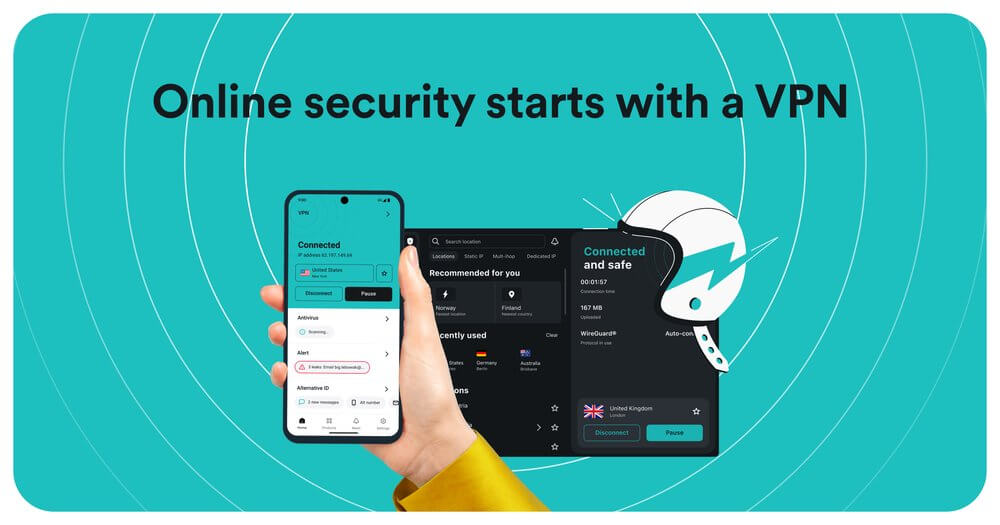
Android users have more VPN choices than iPhone owners — but also more risks. The Play Store is flooded with sketchy VPN apps, many of which log and sell your data. Here’s what actually works well on Android in 2025, tested on real devices.
Short answer: Surfshark and NordVPN are the best VPNs for Android in 2025. Both have excellent apps, WireGuard support, and unlimited or near-unlimited device coverage. Surfshark is better value for most Android users. ExpressVPN leads if you travel to countries with internet restrictions.
2026 Update: Surfshark 24-month is now $1.99/month (cheapest major VPN); NordVPN 2-year at $3.09/month; ExpressVPN Basic 2-year at $3.49/month. All three updated their Android apps with improved kill switch reliability and faster protocol switching in 2026.
What makes a VPN good on Android?
Android is more open than iOS, which is both an advantage and a risk. VPN apps on Android can use WireGuard natively without Apple’s restrictions, which means faster connections and better battery performance. But Android also lets shady apps request broad network permissions — many “free VPN” apps on the Play Store abuse this.
A good Android VPN needs: a clean, fast app, WireGuard protocol, a reliable kill switch, split tunneling (Android supports this properly), and auto-connect on untrusted WiFi. The best ones also work on Android TV and Fire TV with the same subscription.
Best VPNs for Android — ranked
1. Surfshark — best overall for Android
Surfshark’s Android app is polished, fast, and has one of the best implementations of split tunneling on any platform. You can whitelist specific apps to bypass the VPN — useful for banking apps that flag VPN connections, or for local streaming services you don’t want routed through another country. Unlimited device connections means it covers your Android phone, tablet, and TV box on one plan.
- Protocol: WireGuard — fast and battery-efficient
- Kill switch: Yes — blocks all traffic if VPN drops
- Split tunneling: Yes — per-app and per-website control
- Android TV support: Yes — native app available
- Price: From $2.29/month (2-year plan)
- Devices: Unlimited
2. NordVPN — best features for Android power users
NordVPN’s Android app includes Threat Protection Lite, which blocks malicious domains, ads, and trackers at the DNS level — useful as an extra security layer on Android where ad-heavy apps are common. The Meshnet feature lets you create a secure private network between your devices, handy if you want to access your home network remotely from your phone.
- Protocol: NordLynx (WireGuard) — consistently fast
- Kill switch: Yes
- Threat Protection Lite: Yes — DNS-level ad and malware blocking
- Android TV support: Yes
- Price: From $3.09/month (2-year plan)
- Devices: 10 simultaneous
3. ExpressVPN — best for travel and restricted countries
If you travel to China, UAE, or other countries with heavy internet restrictions, ExpressVPN is the Android VPN to have. Its Lightway protocol is specifically designed to stay connected through aggressive network filtering — it’s the most reliable option in markets where other VPNs get blocked. The Android app is simple and requires no configuration.
- Protocol: Lightway (proprietary) — best for restricted networks
- Works in China/UAE: Yes — unique advantage
- Price: From $6.67/month (1-year plan)
- Devices: 8 simultaneous
4. ProtonVPN — best free Android VPN
ProtonVPN is the only trustworthy free VPN on Android. No data cap, no logs, no hidden data selling. The free tier limits you to servers in three countries (US, Netherlands, Japan) and speeds are slower than paid, but it’s a legitimate option if you genuinely can’t pay. The paid plan unlocks full speeds, all server locations, and streaming support.
- Free tier: Yes — unlimited data, 3 server locations
- Protocol: WireGuard and OpenVPN
- Price: Free, or from $4.99/month paid
- Devices: 10 (paid), 1 (free)
5. Private Internet Access — most configurable Android VPN
PIA gives Android users full control over encryption settings, protocols, and ports. The app also has one of the best widget implementations — you can toggle the VPN on/off from your home screen without opening the app. It’s one of the cheapest paid options with unlimited device connections.
- Protocol: WireGuard, OpenVPN, IKEv2
- Home screen widget: Yes — quick toggle
- Price: From $2.03/month (3-year plan)
- Devices: Unlimited
How to set up a VPN on Android:
Step 1: Download the VPN app from the Play Store → Step 2: Sign in and tap Connect → Step 3: Accept the VPN connection request Android shows → Done.
Enable auto-connect on unsecured WiFi in settings — it handles public networks automatically without you remembering to turn it on.
Android VPN features worth enabling
Android supports VPN features that iOS restricts. Always-on VPN is available in Android Settings → Network → VPN — this forces all traffic through the VPN even after a reboot, without relying on the app’s own always-on setting. Block connections without VPN (also in system settings) acts as a system-level kill switch, more reliable than app-level kill switches. Split tunneling on Android works per-app — you can exclude your bank, your local streaming service, or any app that behaves badly with a VPN active.
Free VPN apps on Android — what to avoid
The Play Store has hundreds of VPN apps. Many of the most-downloaded ones — “VPN Master,” “Super VPN,” “Thunder VPN,” “Turbo VPN” — have been caught logging user data, injecting ads into traffic, or operating from jurisdictions with no privacy laws. Several were found in security audits to contain malware. If a VPN app is free, has tens of millions of installs, and the company has no verifiable privacy policy or independent audit — avoid it. Stick to ProtonVPN Free or Windscribe if you need free.
Warning: A VPN app on Android has permission to route all your device’s network traffic. A malicious app can intercept everything — passwords, messages, banking data. Only install VPNs from verified companies with public privacy policies and independent security audits. The five VPNs listed above all meet this standard.
Does a VPN drain Android battery?
WireGuard-based VPNs (Surfshark, NordVPN) have significantly lower battery impact than older OpenVPN-based ones. In practice, expect 3–8% extra battery drain over a full day with a modern VPN running. If battery is a concern, use split tunneling to only route sensitive apps through the VPN rather than all traffic, and enable auto-connect only on public WiFi rather than keeping it always-on.
Android VPN setup checklist:
- ✅ Enable always-on VPN in Android system settings (not just the app)
- ✅ Turn on kill switch — block connections without VPN
- ✅ Set split tunneling to exclude banking and local streaming apps
- ✅ Enable auto-connect on unsecured WiFi
- ✅ Use WireGuard protocol for best battery and speed
- ✅ Check Android TV is covered if you have one
Frequently asked questions
Is the Android VPN setup different from iPhone?
Yes — Android gives you more control. You can set always-on VPN at the system level (not just app level), use a system kill switch that’s independent of the VPN app, and configure split tunneling per-app. For a full comparison of iOS vs Android VPN behaviour, see our best VPN for iPhone guide.
Do VPNs work on Android TV?
Yes — Surfshark, NordVPN, and ExpressVPN all have native Android TV apps. Install directly from the TV’s Play Store. This is the easiest way to unblock streaming services on a smart TV without configuring a VPN router.
Will a VPN slow down my Android phone?
Slightly — but with WireGuard the difference is minimal in day-to-day use. Speed drops of 5–15% are normal. If your connection feels significantly slower, switch to a closer server. For detailed troubleshooting, see our guide on why VPNs slow down your connection.
Can I use a free VPN on Android safely?
Only ProtonVPN Free and Windscribe (10GB/month free) are trustworthy free options. Every other highly-downloaded free VPN on the Play Store has privacy or security concerns. If you’re unsure which VPN suits your needs and budget, the Techtippr VPN Picker gives you a personalised recommendation in under a minute.
What’s the best VPN for Android gaming?
NordVPN has the lowest latency of the mainstream options on nearby servers. Always connect to the closest server when gaming — geography matters more than VPN brand for latency. See our NordVPN vs Surfshark comparison for head-to-head speed results.
Get Surfshark — Unlimited devices ↗
Try NordVPN free for 30 days ↗
The bottom line
Surfshark is the best Android VPN for most people — great app, unlimited devices, lower renewal price, and proper split tunneling. NordVPN is the better pick if you want advanced features like Threat Protection and Meshnet. New to VPNs? Start with our plain-English guide to what a VPN does, or use the Techtippr VPN Picker to get a straight recommendation for your situation.