

I have been using clipboard managers for years. And for years, I told myself the problem was me. Maybe I needed to be more organised. Maybe I needed to scroll slower. Maybe I needed to somehow remember which of the 500 copied items was the API key I needed right now — and not the one from six months ago. After years of frustration, I finally built my own Mac clipboard manager called Clipboard Empire, and it changed how I work entirely.
Turns out, the problem was never me. The tool was broken.
The Real Problem With Most Clipboard Managers
Here is what was actually happening during a typical workday. I copy a lot of things — AI prompts I keep reusing, API keys for different tools, YouTube links I want to revisit, terminal commands I never quite memorise, and standard email replies I write again and again.My clipboard manager faithfully recorded all of it. Every single thing. In one long reverse-chronological list with zero context about what anything was for.
Finding something from three days ago meant scrolling through everything. The search worked okay if I remembered the exact words — which I usually did not. So I started keeping a separate Notion page just to save things I knew I would need again.
A separate Notion page. To work around my clipboard manager.
That is when I knew something had to change.
Why I Decided to Build My Own Mac Clipboard Manager
I did not start out thinking, “I should build and sell a Mac app.” I started out thinking, “this is annoying and I can fix it.”The app I built is called Clipboard Empire. It is a clipboard manager for Mac — but the way it works is fundamentally different from every tool I had tried before.
The core idea is simple: your clipboard history should not be a cluttered archive you scroll through endlessly. It should be a searchable, organised database you actually navigate with intention.
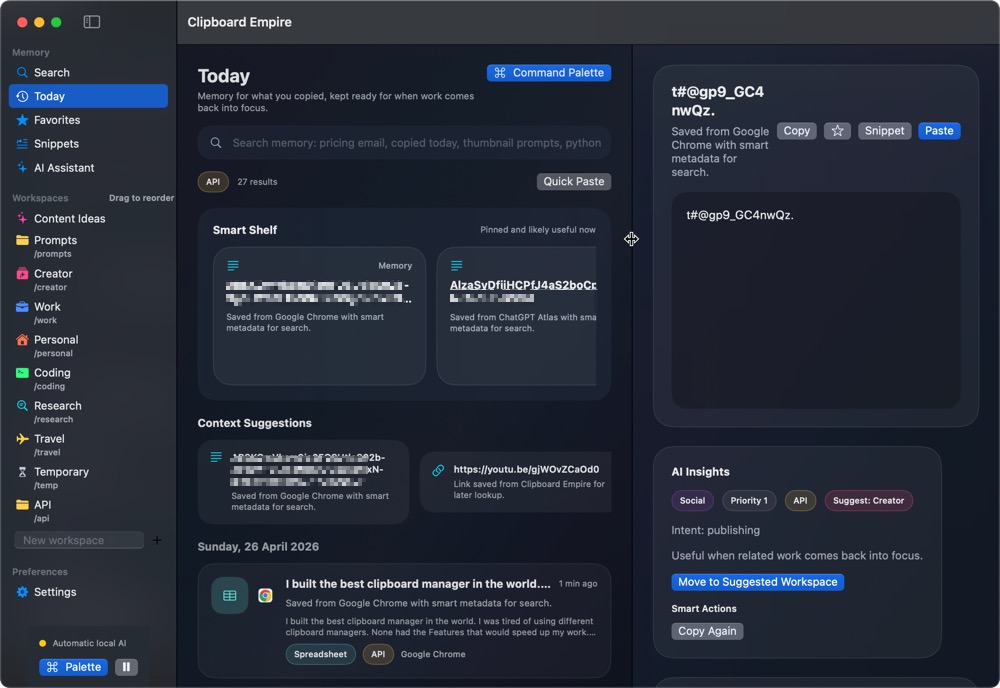
Key Features of Clipboard Empire
Favourites — For Clips You Use Every Day
Some things are not temporary. They are permanent parts of how you work — your SSH alias, your go-to AI prompt, the email reply you send every other day. In Clipboard Empire, you can star any snippet as a Favourite, and it sits right there, instantly accessible, without any searching required.
Workspace Folders — Organise Your Clipboard Like a Pro
This is the feature I am most proud of. Instead of one flat, chaotic list, you create named folders and organise your clips into them. I personally have folders for AI prompts, API keys, terminal commands, email templates, and YouTube descriptions I reuse regularly.
It transforms the tool from a basic clipboard history app into something closer to a personal knowledge base for your daily workflow. Everything has a place. Nothing gets lost.
The Floating Window — One Shortcut, Instant Access
One keyboard shortcut. A compact floating search window appears on top of whatever you are working on. You type, it instantly filters your entire clipboard history and all your folders. You click to copy. You dismiss the window and keep working — without ever switching apps.
I use this dozens of times a day without even thinking about it. That is the clearest sign a productivity tool has genuinely become part of your workflow.
AI Context — Know Exactly What You Copied and Why
This feature is subtle but genuinely useful. Clipboard Empire logs when you copied something and which app it came from. The built-in AI layer adds a brief context note alongside each clip — so that mysterious string you copied three weeks ago is clearly identified as an API key from your browser, not random terminal output.
There is also a Smart Shelf that pins what you are most likely to need next, based on your recent activity. It sounds like a small detail. It saves real time.
Who Is Clipboard Empire Built For?
If you copy things constantly as part of your work — AI prompts, code snippets, links, API keys, reusable templates — and you have ever spent 30 seconds hunting through your clipboard history for something you definitely copied, this app is for you.- Developers managing multiple API keys, terminal commands, and code snippets
- Content creators reusing templates, descriptions, and structured prompts
- Writers juggling research links, email drafts, and reference text
- AI power users who maintain a personal library of prompts
I built Clipboard Empire for myself — and I am exactly that kind of person.
Honest Notes From a Solo Developer
This is v1. It does the core things well. The features already on the roadmap include iCloud sync, rich text and image support, a browser extension, and an iOS companion app. All future updates go to existing users for free.Clipboard Empire is macOS only right now — built and tested on macOS Sequoia. If enough people ask for a Windows version, I will build it.
And most importantly: no subscription. You pay once, you own it forever.
Where to Get Clipboard Empire
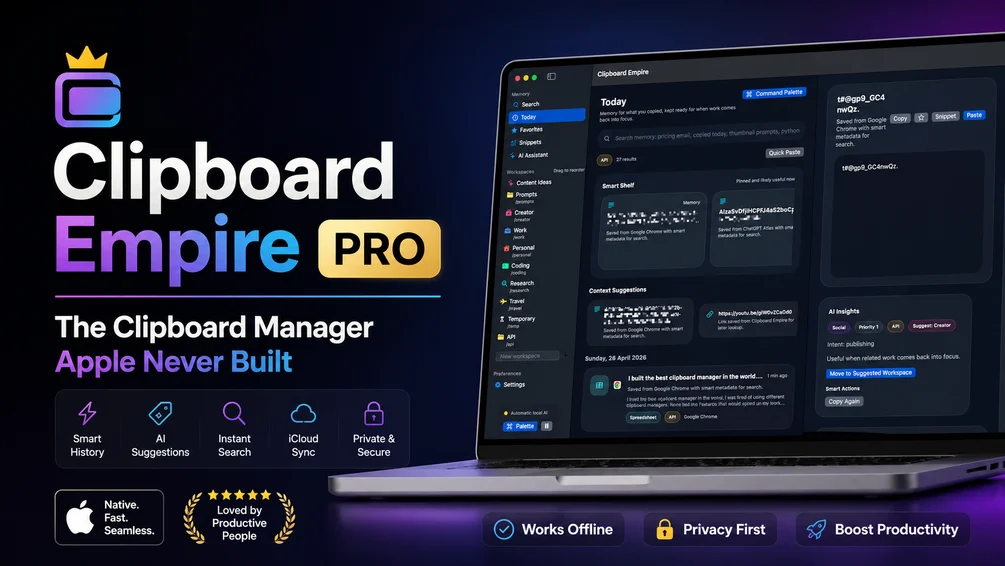
You can grab Clipboard Empire directly from Gumroad:
https://asif.gumroad.com/l/clipboard-empire
If you try it and have feedback or feature requests, email me directly. I read everything. This is a solo project and the entire roadmap is shaped by what real users ask for.
Final Thoughts
Most clipboard managers treat your clipboard like a recycling bin — everything goes in, nothing is organised, and finding anything older than a day becomes a chore. Clipboard Empire treats your clipboard like a workspace tool that respects your time.If you work on a Mac and live inside your clipboard the way I do, give it a try. It is the clipboard manager I always wished existed — so I stopped wishing and built it myself.
Recommended for you
Video Editing Services
Human-led video editing from ₹399 per finished minute for YouTube, Shorts, talking-head videos, brand films and documentaries.
Our Product