

- 01Why Chrome Text-to-Speech Extensions Matter in 2026
- 02What Is Narrator Chrome Extension?
- 03Narrator Chrome Extension Features
- 04How to Install Narrator on Chrome
- 05Best Use Cases for Narrator
- 06Narrator Pros and Cons
- 075 Best Narrator Alternatives in 2026
- 08Comparison Table
- 09Which One Should You Choose?
- 10FAQs
- 11Final Verdict
- 12Related Articles
Narrator Chrome Extension Review (2026): Best Free Text-to-Speech Tool or Better Alternatives?
TL;DR: Narrator is a lightweight and free Chrome extension that reads web pages aloud using browser text-to-speech. It’s simple, fast, and works offline. If you want a no-frills reading tool, Narrator is excellent. If you need natural AI voices, Speechify is better. If you want the best free all-rounder, Read Aloud is the strongest alternative.
Why Chrome Text-to-Speech Extensions Matter in 2026
Text-to-speech is no longer just an accessibility feature. It has become one of the smartest productivity hacks for modern users.- Listen to long articles while walking
- Hear newsletters while cooking
- Absorb research papers while commuting
- Catch up on blog posts while working
- Review documentation while resting your eyes
Instead of sitting down to read everything manually, TTS helps convert passive time into productive learning time.
What Is Narrator Chrome Extension?
Narrator is a simple browser extension that reads web pages aloud using your device’s built-in speech engine.Its mission is simple:
Open webpage → Click icon → Listen instantly
No accounts, no subscriptions, no unnecessary clutter.
Narrator Chrome Extension Features
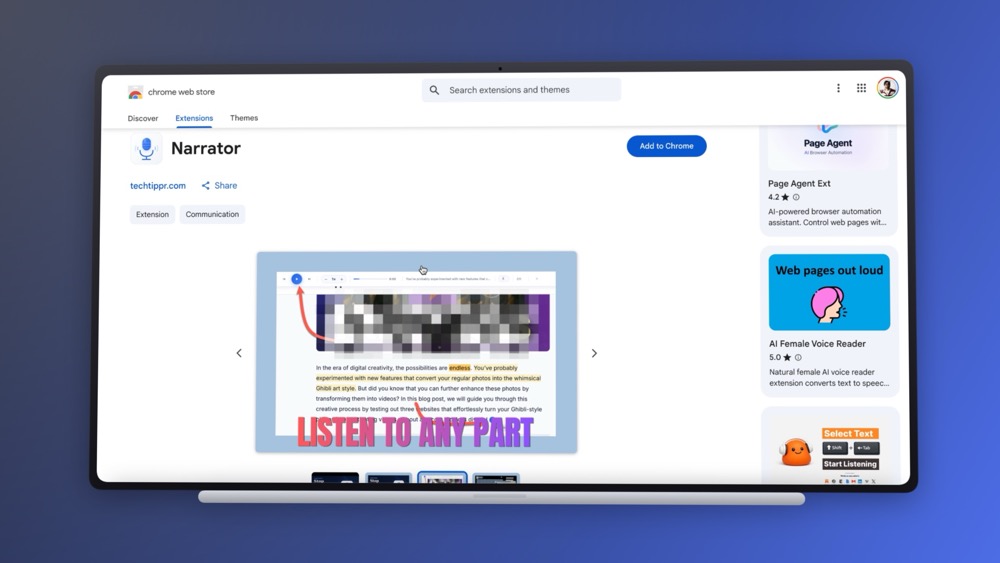
What It Does Well
- Free to use
- Lightweight and fast
- Works offline using system voices
- Reads webpages instantly
- Keyboard shortcut support
- Minimal browser resource usage
- Easy controls (play, pause, stop)
What It Does Not Offer
- AI human-like voices
- Voice cloning
- Advanced customization
- PDF reading support
- Word highlighting
- Audio export to MP3
- Cloud sync
How to Install Narrator on Chrome
- Open the Chrome Web Store
- Search for Narrator
- Click Add to Chrome
- Pin extension to toolbar
- Visit any webpage
- Click Narrator icon to begin reading
Setup time: Under 2 minutes.
Best Use Cases for Narrator
Reading Blog Articles
Listen to long-form content while multitasking.
Technical Documentation
Useful for developers and professionals reading dense material.
Newsletters
Turn unread emails into audio learning sessions.
Accessibility
Helpful for users with dyslexia or visual challenges.
Screen Fatigue
Listen instead of staring at screens all day.
Narrator Pros and Cons
Pros
- Completely free
- Works offline
- Very simple to use
- No signup required
- Great for casual users
Cons
- Robotic system voices
- No premium voice quality
- No PDF support
- Limited controls
- No export features
5 Best Narrator Alternatives in 2026
1. Read Aloud (Best Free Alternative)
Website: Chrome Web Store
- Reads web pages and PDFs
- More voices
- Word highlighting
- Adjustable speed
- Great free version
Best for: Users wanting more features without paying.
2. Speechify (Best Premium Choice)
Website: Speechify Official Site
- Human-like AI voices
- Sync across devices
- PDF support
- Premium listening experience
Best for: Heavy users and professionals.
3. Natural Reader
Website: Natural Reader
Strong option for PDFs and documents.
4. Balabolka
Website: Balabolka Official Site
Windows-only offline TTS software ideal for exporting MP3 files.
5. Microsoft Edge Read Aloud
Website: Microsoft Edge
Built directly into Microsoft Edge browser.
Comparison Table
| Tool | Free Plan | AI Voices | PDF Support | Best For |
|---|---|---|---|---|
| Narrator | Yes | No | No | Minimalists |
| Read Aloud | Yes | Limited | Yes | Best Free Overall |
| Speechify | Limited | Yes | Yes | Premium Users |
| Natural Reader | Limited | Yes | Yes | PDF Users |
| Balabolka | Yes | No | Yes | Offline Export |
Which One Should You Choose?
Choose Narrator If:
- You want free and simple
- You mainly read webpages
- You dislike cluttered tools
- You need offline use
Choose Read Aloud If:
- You want more controls
- You need PDF reading
- You want stronger free features
Choose Speechify If:
- Voice quality matters most
- You use TTS daily
- You are comfortable paying monthly
FAQs
Is Narrator Chrome Extension free?
Yes, it is completely free.
Does Narrator work offline?
Yes, it uses your system’s built-in speech engine.
Can Narrator read PDFs?
No. Use Read Aloud or Natural Reader instead.
Is Narrator better than Speechify?
Narrator is better for simplicity. Speechify is better for premium voice quality.
Is Narrator safe?
As with any extension, review permissions before installing.
Final Verdict
Narrator remains one of the best lightweight free Chrome text-to-speech tools available in 2026.It does one thing very well: reads webpages aloud instantly.
If you want a distraction-free, no-cost solution, Narrator is excellent.
If you need richer voices and premium features, choose Speechify or explore Read Aloud.
Related Articles
- Best Chrome Extensions for Productivity
- Best AI Chrome Extensions in 2026
- Chrome Extensions for Writers & Bloggers
- Narrator: The Chrome Extension That Reads Your Articles Aloud