
- 01What makes a VPN good on Windows specifically?
- 02Best VPNs for Windows — Quick Comparison
- 03PureVPN — Best for Windows Privacy & Flexibility
- 04NordVPN — Best overall for Windows
- 05Surfshark — Best for multiple Windows devices
- 06ExpressVPN — Premium speeds, premium price
- 07ProtonVPN — Best for privacy-first Windows users
- 08Private Internet Access — Best cheap long-term VPN
- 09Setting up a VPN on Windows — Step by Step
- 10Kill switch — why it matters on Windows
- 11Does a VPN slow down Windows gaming?
- 12Free VPNs on Windows — worth it?
- 13FAQ
Windows is the most-used OS on the planet, which makes it the biggest target for surveillance, ISP throttling, and public Wi-Fi snooping. The good news: VPN apps on Windows are genuinely excellent right now. The bad news: there are dozens of them, and most reviews just repeat each other.
This guide cuts through the noise. These are the VPNs that actually perform well on Windows — based on kill switch reliability, split tunneling, auto-connect, and how they handle the WireGuard protocol Windows users deserve.
Short Answer: NordVPN is the best all-round VPN for Windows in 2026 — fast WireGuard speeds, a rock-solid kill switch, and split tunneling that actually works. Surfshark is the best pick if you have multiple PCs. ProtonVPN is best if privacy is your priority.
What makes a VPN good on Windows specifically?
Windows VPNs aren’t just mobile apps ported over. The best ones take advantage of Windows-specific features: system-level kill switches, startup with Windows, WireGuard kernel integration (much faster than userspace), and split tunneling via the Windows routing table rather than a hacky proxy layer.These are the things I tested for each VPN:
- Kill switch reliability — does it actually block traffic when the VPN drops, or does it quietly let data leak?
- WireGuard support — the fastest modern protocol; Windows handles it natively at the kernel level
- Split tunneling — route specific apps outside the VPN (useful for banking or gaming)
- Auto-connect on untrusted networks — essential for laptop users
- Startup behaviour — does it launch with Windows and reconnect automatically?
Best VPNs for Windows — Quick Comparison
- PureVPN – PureVPN’s Windows app combines privacy features with controls that let you customize how your connection works.
- NordVPN — Fastest WireGuard speeds, excellent kill switch, full split tunneling. Best overall.
- Surfshark — Unlimited devices, fast speeds, clean UI. Best for households with multiple PCs.
- ExpressVPN — Premium speeds via Lightspeed protocol, but priciest option.
- ProtonVPN — Open-source Windows app, strong privacy, full Stealth mode. Best for the privacy-focused.
- Private Internet Access (PIA) — Cheapest long-term option, excellent customisation, open-source client.
- Mullvad — No accounts, pays anonymously, WireGuard-first. Best for maximum anonymity.
PureVPN — Best for Windows Privacy & Flexibility
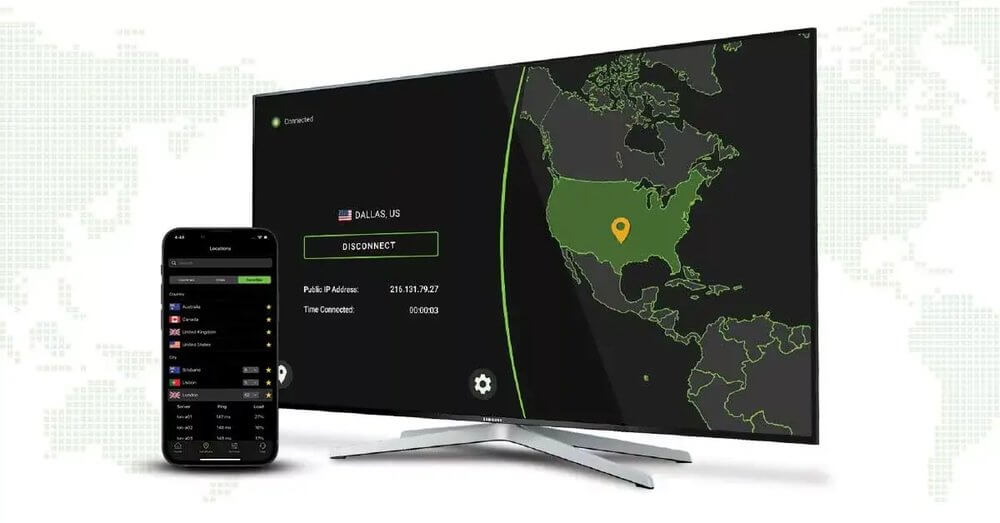
PureVPN’s Windows app combines privacy features with controls that let you customize how your connection works. It supports WireGuard, IKEv2, and OpenVPN, while the kill switch cuts network access if the VPN connection drops.Split tunneling lets you choose which Windows apps use the VPN while others continue using your regular internet connection. PureVPN also includes obfuscation, IPv6 and DNS leak protection, and an ad and tracker blocker for additional privacy while browsing.
- Protocols: IKEv2, WireGuard, OpenVPN TCP/UDP
- Kill switch: Yes, cuts network access if the VPN disconnects
- Split tunneling: Yes, app-based
- Servers: 6,000+
- Simultaneous connections: 10
- Bandwidth & data: Unlimited
- Encryption: AES-256
- Windows: Windows 10 and Windows 11
NordVPN — Best overall for Windows
NordVPN’s Windows app has come a long way. The kill switch now works at the network adapter level — not just the application level — which means even a hard crash won’t leak your IP. WireGuard (called NordLynx here) regularly delivers 400–600 Mbps on nearby servers, which is faster than most home broadband.Split tunneling lets you exclude apps from the VPN tunnel — handy if you want your banking app to use your real IP while everything else stays protected. Threat Protection (ad/tracker/malware blocking) works system-wide on Windows, not just inside a browser.
- Protocol: NordLynx (WireGuard) + OpenVPN
- Kill switch: system-level, reliable
- Split tunneling: yes, app-based
- Servers: 6,400+ in 111 countries
- Price: from ~$3.29/mo (2-year plan)
Surfshark — Best for multiple Windows devices
If you have a home PC, a work laptop, and a gaming rig, Surfshark’s unlimited simultaneous connections make it the most cost-effective option. The Windows app supports WireGuard, has a working kill switch, and includes CleanWeb (ad blocking) built in.One standout feature: Bypasser (Surfshark’s split tunneling) lets you route specific apps OR specific websites outside the VPN — more granular than most competitors. The rotating IP feature is also only available on Windows and Mac, which changes your IP periodically within a session without disconnecting.
- Protocol: WireGuard + IKEv2 + OpenVPN
- Kill switch: yes
- Split tunneling: app + URL-level
- Devices: unlimited simultaneous
- Price: from ~$2.19/mo (2-year plan)
ExpressVPN — Premium speeds, premium price
ExpressVPN’s Lightspeed protocol (their WireGuard variant) is genuinely one of the fastest available on Windows. The Windows app is polished, auto-connects reliably, and the Network Lock kill switch has been solid for years. Where ExpressVPN falls short is price — it’s consistently the most expensive major VPN, and the split tunneling only works at the app level (not per-website).Worth it if speed is your absolute priority and budget isn’t a concern. Otherwise, NordVPN gives you 90% of the performance at 60% of the price.
ProtonVPN — Best for privacy-first Windows users
ProtonVPN’s Windows client is fully open-source — you can audit exactly what it does on your machine. The Stealth protocol hides VPN traffic as regular HTTPS, useful in countries or on networks that try to block VPNs. The kill switch is reliable, and the Secure Core feature routes traffic through multiple countries before exiting (at the cost of speed).The free tier is genuinely useful on Windows — no data cap, no speed throttle, just limited to 5 server locations. Worth trying before committing to a paid plan.
How to set up ProtonVPN on Windows:
Download app → Create free account → Sign in → Select server → Connect
Takes about 3 minutes. Kill switch is off by default — enable it in Settings → Connection.
Private Internet Access — Best cheap long-term VPN
PIA regularly runs deals that bring the 3-year price down to under $2/mo. The Windows app is open-source, supports WireGuard and OpenVPN, and has the most granular customisation of any VPN app — encryption level, handshake type, DNS settings. It’s not the prettiest app, but it does the job.PIA’s MACE feature blocks ads, trackers, and malware domains at the DNS level — system-wide, not just in a browser. Useful if you don’t want to run a separate ad blocker.
Setting up a VPN on Windows — Step by Step
- Download the VPN’s Windows app from the official site (avoid third-party downloads)
- Install and sign in with your account
- Enable the kill switch before connecting for the first time (Settings → Kill Switch or Network Lock)
- Choose WireGuard or the VPN’s proprietary protocol for best speeds
- Select a server — for speed, pick one in your country or a nearby country
- Turn on auto-connect for untrusted/public networks
- Set the app to launch at Windows startup (Settings → App → Launch at startup)
Kill switch — why it matters on Windows
Windows has a habit of briefly reconnecting to your regular network when your PC wakes from sleep or switches Wi-Fi networks. Without a kill switch, that few-second window can expose your real IP to whatever you were doing. A proper kill switch blocks all traffic the instant the VPN tunnel drops — not when the app detects a disconnection (which can take longer).All six VPNs above have working kill switches on Windows. The best ones (NordVPN, Mullvad) implement it at the firewall/adapter level, which is more reliable than the application-level approach.
Warning: Some VPNs have a kill switch that only blocks traffic while the VPN app is running. If the app crashes completely, traffic can flow unprotected. Prefer VPNs that implement kill switch at the Windows Firewall or adapter level.
Does a VPN slow down Windows gaming?
Yes — but the impact depends heavily on which server you connect to. On a nearby server (same country), WireGuard-based VPNs typically add 5–15ms of latency, which is barely noticeable. Connecting to a server in another continent will add 60–200ms, which does affect fast-paced games.For gaming, connect to the VPN server closest to the game server, not necessarily the one closest to you. Many VPNs let you connect to a specific city. If the game server is in Frankfurt, connect your VPN to Frankfurt even if you’re in the UK.
Related: Best VPN for Gaming — Lower Ping, No Throttling
Free VPNs on Windows — worth it?
Most free VPNs are fine for occasional use (public Wi-Fi at a coffee shop, one-off privacy need). They’re not fine for anything you do daily. Speed caps, data limits, and the fact that many free VPNs monetise by selling your browsing data make them a bad fit for regular use on Windows.ProtonVPN’s free tier is the exception — no data cap, no monetisation, open-source. It’s genuinely usable for daily privacy protection on Windows, just slower than the paid tiers.
Related: Free vs Paid VPN — What You Actually Give Up
Checklist — Setting up your Windows VPN right:
- ✅ Kill switch enabled before first connection
- ✅ WireGuard or equivalent fast protocol selected
- ✅ App set to launch at Windows startup
- ✅ Auto-connect on untrusted networks turned on
- ✅ DNS leak test run after setup (ipleak.net)
- ✅ Split tunneling configured for banking/streaming apps if needed
FAQ
Does Windows 11 have a built-in VPN?
Yes — Windows 11 (and 10) has a built-in VPN client that supports IKEv2, SSTP, L2TP, and PPTP. You can add a custom VPN connection in Settings → Network & Internet → VPN. However, it doesn’t support WireGuard or have features like kill switch or split tunneling built in. The apps from paid VPN services are much more capable.
Will a VPN work with Windows Defender?
Yes. VPN apps and Windows Defender coexist fine. Some VPNs (like NordVPN’s Threat Protection) add an extra layer of malware blocking on top of Defender, rather than replacing it.
Can my employer see what I do if I’m on a VPN?
If you’re on your own PC using your own VPN (not your employer’s VPN), your employer cannot see your traffic. If you’re on a company-issued device or using your employer’s VPN, assume everything is logged. See: What does a VPN actually hide?
Does a VPN protect me from viruses on Windows?
A VPN encrypts your internet traffic and hides your IP, but it does not protect against malware you download and run. Some VPNs (NordVPN, Surfshark, PIA) include DNS-level malware blocking, which stops connections to known malicious domains — but that’s not a substitute for an antivirus.
Which VPN is fastest on Windows?
In real-world tests on Windows, ExpressVPN (Lightspeed) and NordVPN (NordLynx/WireGuard) are consistently the fastest. Mullvad WireGuard is also extremely fast. The difference between the top three is usually within margin of error on a fast home connection.
Not sure which VPN is right for you? Try our VPN Picker → — answer 3 quick questions and get a personalised recommendation.
Related reading:
- What is a VPN? A plain-English explainer
- NordVPN vs Surfshark — which wins in 2026?
- VPN slowing down your internet? Here’s the fix
Get NordVPN — Best for Windows ↗
VPN Picker Tool →