
Best AI Transcription Tools in 2026
For pure transcription accuracy, Whisper (via local install or MacWhisper) is the best free option. For meeting notes with action items and CRM integration, Fireflies or Otter.ai win. For speaker identification on team calls, Otter AI (Teams) or Fireflies. For a dead-simple paid option, Descript handles transcription plus editing. Match the tool to the use case.
Why Transcription Matters More in 2026
Transcription used to be a niche need — journalists, lawyers, medical professionals. Now it’s standard for anyone who records meetings, creates video content, conducts interviews, or wants to process spoken information. The tools have gotten significantly better and cheaper (often free) which makes the barrier to using them very low.
The challenge is choosing the right tool — each one has a different strength, and the wrong choice wastes both money and time.
Best AI Transcription Tools Compared
1. Whisper — Best Free Accuracy
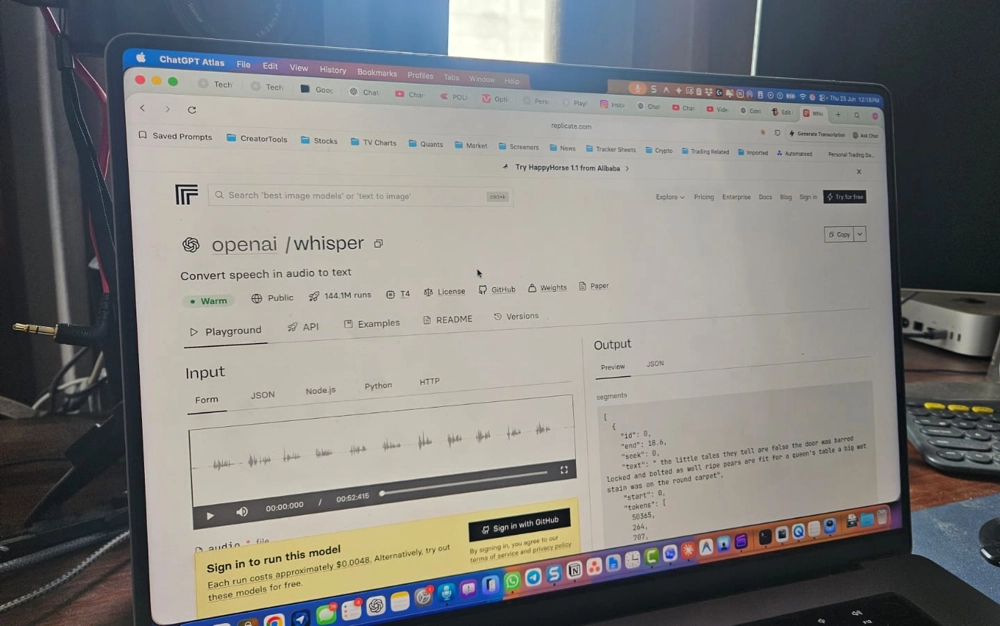
OpenAI’s Whisper model is still the accuracy benchmark for free transcription. It handles accents, technical jargon, overlapping speakers, and noisy audio better than most paid services. The API version costs fractions of a cent per minute. The local version (Whisper.cpp) is completely free and runs entirely on your device.
The downside is friction — Whisper requires some setup if you run it locally, and the API requires an OpenAI account. Tools like MacWhisper (Mac), Aiko (iPhone), and Whisper Transcriber (web) remove this friction.
Free plan
OpenAI’s transcription model running locally on your device. No data sent to servers. Handles accents and technical vocabulary extremely well.
2. Otter.ai — Best for Live Meeting Notes
Otter is the most complete meeting tool. It joins your Zoom, Meet, or Teams calls automatically, transcribes in real time, identifies speakers, and produces a summary with action items after the meeting ends. The live transcript is visible to all participants, which helps keep everyone aligned.
The free tier gives 300 minutes per month and auto-joins up to 3 meetings. The paid tier unlocks unlimited minutes, longer imports, and custom vocabulary for industry terms.
Free plan
Real-time meeting transcription with speaker ID, summaries, and action items. Integrates with Zoom, Google Meet, and Microsoft Teams. Auto-joins calls from your calendar.
3. Fireflies.ai — Best for Sales and CRM Teams
Fireflies is similar to Otter but skews toward sales workflows. It integrates with Salesforce, HubSpot, and other CRMs to auto-populate call notes. The AI analysis includes sentiment tracking, talk time ratios, key topic detection, and competitor mentions — all useful for sales managers reviewing calls.
Free plan
AI meeting transcription with sales-focused analytics. CRM integration, sentiment analysis, and coaching insights. Auto-joins meetings from your calendar.
4. Descript — Best If You Also Edit the Content
Descript is primarily a video/audio editor, but its transcription quality is excellent and the editing workflow is unique: you edit the transcript and the audio edits automatically. If you’re transcribing for editing purposes — podcast production, video editing — Descript is more efficient than any standalone transcription tool.
Free plan
Transcription combined with full audio/video editing. Edit your recording by editing the transcript text. Accurate speaker labeling.
5. Rev.ai — Best for Accurate Professional Transcription
Rev.ai is a paid service that offers both AI transcription (fast, affordable) and human transcription (slower, more expensive, but near-perfect). For legal, medical, or other professional contexts where accuracy is non-negotiable, the human review option makes Rev worth considering.
Paid
AI and human-reviewed transcription. API access available. Best accuracy among paid services for technical content.
Which Should You Use?
- ✅ For meeting notes with action items: Otter.ai or Fireflies
- ✅ For the best accuracy with privacy: Whisper locally via MacWhisper
- ✅ For podcast or video editing: Descript
- ✅ For sales calls with CRM integration: Fireflies
- ✅ For professional/legal transcription: Rev.ai
In many places, you need consent from all parties before recording a conversation. Some Otter and Fireflies join notifications can satisfy this, but check your jurisdiction’s rules before auto-recording meetings.
300 minutes per month on the free tier — enough for most individual users to evaluate whether it fits their workflow.