
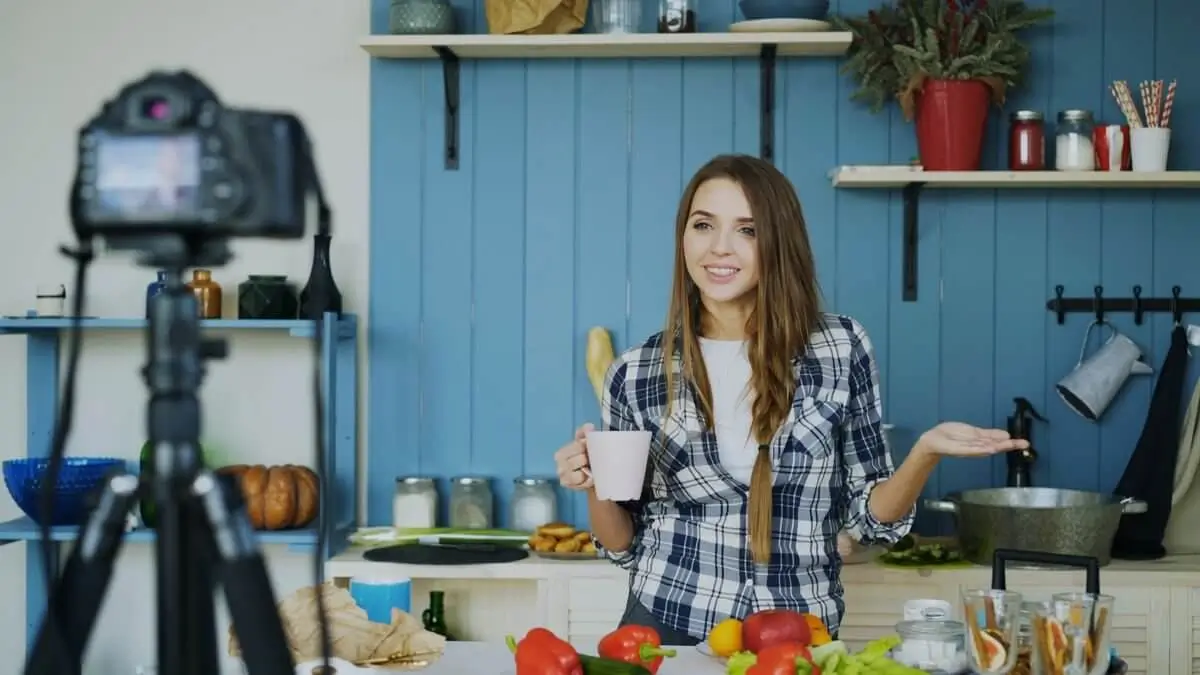
Best AI Video Generators for Creators in 2026 (Tested & Ranked)

TL;DR — Quick Pick by Use Case Cinematic quality: Sora. Professional control: Runway Gen-3 Alpha. Social media speed: Pika 2.0. Best free tier: Kling…

content creator, youtube, youtuber, vlogger, influencer, video, filming, camera, creator guide, instagram reels
Reading Tools

Listen & Follow

Hear the article while spoken text is highlighted

00:00
00:00

Quick Answer

TL;DR — Quick Pick by Use Case Cinematic quality: Sora. Professional control: Runway Gen-3 Alpha. Social media speed: Pika 2.0. Best free tier: Kling or Fathom alternative. Product…

  • Can You Trust ChatGPT for Health Advice? What AI Gets Right — and Dangerously Wrong
  • How to Use NotebookLM: Google’s Free AI Research Tool (2026 Guide)
  • How to Use the Google Gemini App: Tips and Tricks (2026 Guide)
*As an Amazon Associate I earn from qualifying purchases.

TL;DR — Quick Pick by Use Case

Cinematic quality: Sora. Professional control: Runway Gen-3 Alpha. Social media speed: Pika 2.0. Best free tier: Kling or Fathom alternative. Product videos: Hailuo. Easy iterations: Luma Dream Machine.

Why AI Video Became Real in 18 Months

AI video generation went from a marketing gimmick to a legitimate production tool between late 2024 and early 2026. Sora’s 1080p output, Runway’s motion controls, and Pika’s speed collapsed the timeline: what took a day of manual editing now takes minutes. The catches have shrunk—duration limits are longer, quality is higher, and free tiers are more generous.

For creators, podcasters, and product marketers, this is the inflection point. You can now script a 30-second product demo, generate it in under five minutes, and publish it. You can’t replace a human videographer yet, but you can eliminate the friction of simple B-roll, transitions, and visual explanations.

“AI video didn’t kill creativity—it killed tedium. The barrier to making a second draft just vanished.”

Six Tools That Lead Right Now

🎯

Sora (OpenAI)

Cinematic quality, highest production value

Price: $20/mo (included in ChatGPT Plus); additional credits via token spend.

Max duration: 20 seconds per clip; 1080p, 1920×1080 standard.

Free tier: None. ChatGPT Plus required.

Best for: Cinematic intros, branded content, high-stakes visuals where production quality is non-negotiable.

Strengths: Unmatched visual coherence and temporal consistency. Sora understands physics and continuity in ways other models haven’t cracked yet. Text overlay and camera motions feel natural.

Limitations: Monthly credits are limited (roughly 50 credits/month for Plus members; higher-res or longer clips cost more). Slow generation (2–3 minutes). No motion brush or frame-by-frame control. Render inconsistency on complex scenes.

Verdict: Gold standard for cinematic work if you can afford the monthly subscription and the wait time doesn’t kill your workflow.

⚙️

Runway Gen-3 Alpha

Professional control, motion brushes, Hollywood-ready

Price: Free tier (limited renders), $15/mo Standard ($150 annual), $35/mo Pro.

Max duration: 10 seconds natively; 1440p (up to 4K in Pro tier).

Free tier: Yes—roughly 25 credits/month to test.

Best for: Creators who need frame-level control. Motion brush, inpainting, and multi-clip stitching are superior here.

Strengths: Motion control is unparalleled. You can draw motion paths, mask regions, and guide the AI frame-by-frame. Lip-sync is solid. Fast generation (under 1 minute). Used by Netflix and HBO for conceptual work.

Limitations: Clips are short (10s native). Stitching clips together requires manual work. Pricing compounds if you iterate heavily. Style consistency across multiple clips is hit-or-miss.

Verdict: Best for professionals and serious creators. The motion control alone justifies the cost if you’re doing more than one-off clips.

⚡

Pika 2.0

Fastest generation, best social media content

Price: Free tier (25 generations/month), $9.99/mo for 125 generations, $35/mo unlimited.

Max duration: 6 seconds standard; up to 10 seconds with Pro tier; 1080p–4K.

Free tier: Yes—surprisingly generous. 25 free generations per month is real value.

Best for: Instagram Reels, TikTok clips, YouTube Shorts, and rapid iteration. Social-first creators.

Strengths: Speed is unmatched (30–45 seconds to generate). Output is vibrant and shareable. Lip-sync quality is excellent. Free tier is actually usable. The model handles stylized and artistic prompts well.

Limitations: Clips are short (6s standard). Less cinematic than Sora; more stylized. Physics consistency drops on long camera pans. No motion brush or detailed control.

Verdict: Best for volume creators and anyone working on short-form content. Start free, upgrade only if you need more generations.

🚀

Kling (Kuaishou)

Surprisingly strong motion quality, generous free tier

Price: Free tier available, premium $15/mo (est. USD equivalent).

Max duration: 5–10 seconds; 1080p–1440p.

Free tier: Yes—daily credits and testing available.

Best for: Creators on a budget. Motion quality is legitimately impressive for a free tier. Also great for Asian-market content.

Strengths: Motion fluidity rivals Runway at a fraction of the cost. Free tier is robust. Generation is moderately fast (1–2 minutes). Handles dynamic scenes (crowds, water, weather) better than many competitors.

Limitations: Short clips (5–10s). User interface requires some learning (less polished than Western tools). Text prompt quality is sensitive to wording. No motion brush.

Verdict: The secret weapon. If you’re budget-conscious and okay with slightly longer generation times, Kling delivers impressive ROI.

📦

Hailuo (MiniMax)

Strong realism, excellent for product videos

Price: Free tier, premium plans vary by region (~$8/mo estimate).

Max duration: 6–8 seconds; 1440p available.

Free tier: Yes—daily free credits.

Best for: Product demos, e-commerce, unboxing videos, and any scenario where photorealism matters.

Strengths: Exceptional material rendering (lighting, reflections, textures). Object consistency is strong across frames. Great for commercial use. Relatively fast generation.

Limitations: Clips are moderately short. Less creative/artistic than Pika. Motion can feel stiff on character animation. Available primarily through Chinese app stores (though web access is expanding).

Verdict: Underrated for product creators. If you’re selling something, Hailuo’s realism advantage is worth exploring.

✨

Luma Dream Machine

Elegant interface, ideal for quick iterations

Price: Free tier available, $10/mo for higher resolution and generation priority.

Max duration: 4–6 seconds natively; 1080p–2K.

Free tier: Yes—surprisingly usable. About 30 free generations/month.

Best for: Quick prototyping, explainer videos, and iterative feedback loops where ease-of-use beats feature depth.

Strengths: Polished, intuitive interface. Fast inference (under 1 minute). Free tier is legitimate. API access available for developers. Great for rapid experimentation.

Limitations: Shorter clips than Runway or Sora. Quality is good but not extraordinary. Less control than Runway. No motion brush.

Verdict: Excellent entry point or secondary tool. Best for creators who value workflow speed over deep control.

Side-by-Side Comparison

ToolMax LengthResolutionFree TierPrice (Monthly)Best For
Sora20 seconds1080pNone (ChatGPT Plus required)$20 (Plus)Cinematic, branded, high-stakes
Runway Gen-310 seconds1440p–4KYes (25 credits)$15–35Professional control, motion work
Pika 2.06–10 seconds1080p–4KYes (25 gen/mo)$10–35Social media, rapid iteration
Kling5–10 seconds1080p–1440pYes (daily credits)~$15Budget-conscious, motion quality
Hailuo6–8 seconds1440pYes (daily)~$8Product demos, photorealism
Luma Dream4–6 seconds1080p–2KYes (~30 gen/mo)$10Quick prototypes, easy UX

Workflow Tips: How to String It All Together

Stitching Clips Without Visible Seams

Your AI videos are short—6 to 20 seconds max. To build a longer narrative, you need overlaps. Generate a clip that ends with a character looking left; ask your next prompt to start with that same character looking right, then moving into a new scene. Use cross-fades (1–2 frame overlaps) in your editor to mask any micro-timing differences.

Pro tip: Runway’s motion brush excels here. You can hand-draw the continuation of motion from the last frame of clip A into clip B, forcing consistency.

Audio-First Workflow

Script your narration or dialogue first. Record or generate it (Eleven Labs is solid here). Export the audio timeline. Then time your video prompts to match the audio beats. This ensures your visuals sync naturally with your voiceover.

Upscaling & Polishing

Most AI video comes out at 1080p or 1440p. If you’re publishing on YouTube or big screens, upscale to 2K or 4K using Topaz Gigapixel AI or similar. The interpolation tools are mature now and add zero visible artifacts.

Color Grading

AI videos often look “flat” color-wise. A quick pass in DaVinci Resolve (free) or Adobe Premiere can add warmth, crush blacks, or push saturation to match your brand. This 10-minute step elevates the whole piece.

Frequently Asked Questions

Can I use AI-generated video for commercial purposes?

Yes, with caveats. Sora, Runway, Pika, and others grant commercial rights to paid subscribers. Always check the specific tool’s terms—some require credit, others require licensing. For brand work or client projects, Runway and Sora are explicitly licensed for commercial use under their Pro/Plus plans.

Which tool generates the most realistic human faces?

Sora and Runway Gen-3 are the strongest here, but both still show visible artifacts on extreme close-ups or unusual lighting. For human-heavy content, use AI video as B-roll and background—keep your talent on-camera real. This sidesteps the uncanny valley entirely.

How much does AI video cost per video at scale?

If you’re generating 10+ videos per month, Runway Pro ($35/mo) or Pika unlimited ($35/mo) become more efficient than pay-per-use. Sora’s credit system is the most expensive per-video if you’re prolific. For volume creators, budget $20–40/month and call it done.

Can I train these models on my own footage or style?

Not yet (as of April 2026). No mainstream tool offers fine-tuning. Runway is closest with its control features, but it’s not custom training. You can batch-apply the same style prompts and hope for consistency, but true style transfer is still a frontier.

What’s the real timeline from prompt to publishable video?

1–3 minutes generation, plus 10–15 minutes of stitching, color, and audio sync in your editor. So a 30-second final video takes roughly 20–25 minutes end-to-end. Compare that to hiring a videographer (days) or DIY shooting and editing (hours)—it’s still a massive time save.

Start With Your Free Tier

Pika, Kling, Hailuo, Luma Dream, and Runway all offer free credits. Spend an afternoon testing. Find your favorite syntax. Then decide if you need a paid tier. No credit card needed to begin.

Explore Free Tools

Related Content

AI Tools & Comparisons 2026: A Comprehensive Guide

Best Free AI Image Generators 2026: Detailed Comparison

AI Coding Assistants Compared: GitHub Copilot, Claude, ChatGPT

Subscribe now on Telegram

Recommended for you

Prompt Manager

Never lose your best prompts

Our Product
Learn More
Next guide coming up
XfWA