
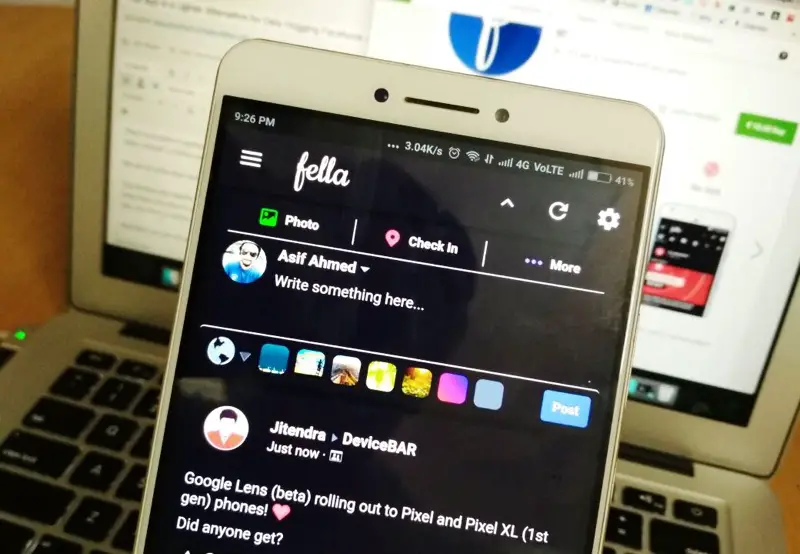
Facebook Lite is designed for low-powered phones and slow data connections. But even on modern phones, many people prefer it for its lower battery usage and less aggressive notification behavior. Here’s what the differences actually are and who should use which.
Short Answer: Facebook Lite is the better choice if you’re on a budget Android phone, have a limited data plan, or just find the regular Facebook app too slow or battery-draining. On flagship phones with fast data, the main Facebook app offers a slightly better experience. Messenger Lite was discontinued in 2023 — use regular Messenger.
Facebook Lite vs Facebook App: Key Differences
App Size
- Facebook Lite: ~3–5MB installed
- Facebook: 100–200MB installed (varies by device)
Data Usage
Facebook Lite compresses images and videos before delivering them, using significantly less data per session. Good for limited data plans or slow connections.
Speed on Budget Phones
Facebook Lite is noticeably faster on phones with 2–3GB RAM or slower processors. The regular Facebook app’s heavy JavaScript and animations struggle on these devices.
Features
Facebook Lite has all the core features: News Feed, Stories, Reels, Groups, Marketplace, Notifications. It’s missing some higher-end features like advanced Reels editing, some camera effects, and the full Messenger integration.
Battery Usage
Facebook Lite uses less CPU power and does less background work, translating to better battery life — even on modern phones.
2023 update:
Facebook/Meta discontinued Messenger Lite in 2023. There is no longer a separate lite version of Messenger. Use the regular Messenger app, which has improved its performance significantly since then.
Who Should Use Facebook Lite
- Users on phones with 3GB RAM or less
- Users on limited data plans (prepaid, capped plans)
- Users in regions with slower network speeds
- Anyone who finds the regular Facebook app slow or hot
- Anyone who wants Facebook but with less battery and data impact
Who Should Use the Regular Facebook App
- Users on modern flagship or mid-range phones (6GB+ RAM)
- Users who want the full Reels editing experience
- Users who rely on advanced camera effects or features
- Users who find Facebook Lite’s image quality too compressed
Is There a “Messenger Lite” Alternative?
Since Messenger Lite was discontinued, the regular Messenger app on Android has been slimmed down somewhat. For absolute minimal messaging, consider using WhatsApp or Telegram instead — both are significantly lighter than Messenger on resources.
Warning: Facebook Lite is not available in all countries. If you can’t find it on your Play Store, your region may not be supported. Check by searching ‘Facebook Lite’ on the Play Store.
Quick checklist:
- ✅ Use Facebook Lite on budget phones or with limited data plans
- ✅ Regular Facebook on modern phones with good data connections
- ✅ Messenger Lite no longer exists — use regular Messenger
- ✅ Facebook Lite reduces battery drain even on mid-range phones
- ✅ Consider WhatsApp or Telegram as lighter alternatives to Messenger entirely
FAQ
Does Facebook Lite have Reels?
Yes — Reels viewing is available in Facebook Lite. Advanced Reels creation tools may be limited compared to the full app, but you can record and post basic Reels.
Can I use both Facebook and Facebook Lite on the same phone?
Yes — they’re separate apps that can coexist. However, there’s no reason to run both simultaneously.
Is Facebook Lite safe?
Yes — it’s an official Meta (Facebook) app, available on the Google Play Store. It collects the same data as the regular Facebook app, just uses less device resources.
Best Apps for Budget Android Phones ↗Android Data Saving Tips
For budget phone users and anyone on a data plan, Facebook Lite is an easy, no-compromise switch. You get the same core experience with a fraction of the resource usage.