
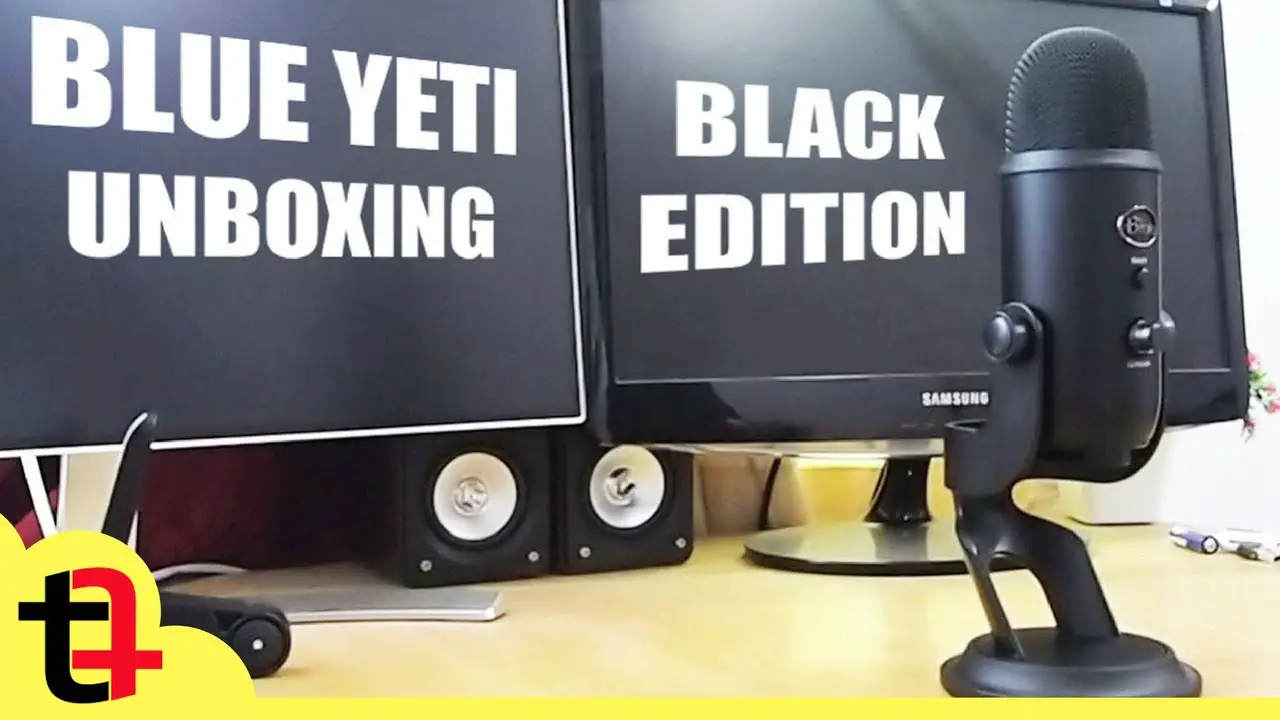
The Blue Yeti has been the default recommendation for USB microphones since 2009 and it’s still sold in huge numbers. But the competition has caught up significantly. Here’s an honest assessment of whether it’s still the right choice.
Short Answer: The Blue Yeti is still a solid microphone with excellent audio quality for its price ($129). But in 2026, the Rode NT-USB Mini ($99) and Elgato Wave:3 ($149) offer comparable or better audio in smaller, more modern packages. The Yeti is worth it if you need its four polar patterns — otherwise consider the alternatives.
Blue Yeti Specs and What They Mean
- Type: USB condenser microphone
- Polar patterns: Cardioid, bidirectional, omnidirectional, stereo (switchable)
- Frequency response: 20Hz–20kHz
- Connection: USB-A (Yeti) or USB-C (Yeti X and newer)
- Headphone monitoring: Yes, zero-latency
- Price: ~$129 (Yeti), ~$169 (Yeti X)
What the Yeti Does Well
Audio Quality
The Yeti captures rich, warm audio with good detail. For podcasting, streaming, YouTube voiceovers, and remote work calls, it produces noticeably better results than built-in laptop mics and most headset mics. The cardioid pattern (most common use) is punchy and clear.
Four Polar Patterns
The ability to switch between cardioid (one speaker facing mic), bidirectional (two people facing each other), omnidirectional (multiple people around a table), and stereo (left-right stereo recording) is genuinely unique at this price. No other USB mic at $129 offers this flexibility.
Direct Headphone Monitoring
Plug headphones into the Yeti’s built-in 3.5mm jack and hear yourself with zero latency while recording. This is essential for natural-sounding audio — most streamers and podcasters rely on it.
Where the Yeti Falls Short
Size and Weight
The Yeti is large and heavy. It dominates a desk and the included stand positions it too low — most users end up buying a separate boom arm ($20–30) to position it correctly at mouth level.
Picks Up Room Noise
As a condenser mic, the Yeti picks up everything — keyboard clicks, room echo, fans, air conditioning. You need a reasonably quiet environment or acoustic treatment to get clean results.
USB-A (Original Yeti)
The original Yeti uses USB-A, which requires an adapter on modern laptops. The newer Yeti X uses USB-C and is worth the small price difference for this reason alone.
The boom arm question:
Budget $20–30 for a basic boom arm when buying the Yeti. The included stand places it too low and adds unnecessary desk clutter. A boom arm positions it properly at mouth level and gets it out of your way.
Alternatives Worth Considering in 2026
- Rode NT-USB Mini ($99): Smaller, cleaner cardioid sound, built-in pop filter. Better for desk space. No polar pattern switching.
- Elgato Wave:3 ($149): Better dynamic range, great software (Wave Link for mixing), popular with streamers. USB-C.
- HyperX QuadCast S ($149): Similar to Yeti with RGB lighting and tap-to-mute. Good alternative if you want the Yeti’s form factor.
- Samsung Q2U ($99): Dynamic mic — far less room noise pickup. Better for untreated rooms.
Warning: Condenser microphones like the Blue Yeti are sensitive by design — they pick up room noise, echo, and background sounds that dynamic microphones reject. If you’re recording in an untreated room with fans, AC, or keyboard noise, a dynamic mic (like the Samson Q2U or Shure MV7) may serve you better.
Quick checklist:
- ✅ Get a boom arm — the included stand is too low for proper mic placement
- ✅ Use Cardioid mode for solo recording/podcasting
- ✅ Buy the Yeti X (USB-C) over the original Yeti if possible
- ✅ Treat your room (foam panels, recording in a closet) to reduce room noise pickup
- ✅ Consider Rode NT-USB Mini or Elgato Wave:3 as equally good alternatives
FAQ
Is the Blue Yeti good for YouTube?
Yes. It’s one of the most used microphones by YouTubers for good reason. Clear cardioid recording with a warm character works well for voiceovers, vlogs, and tutorials. Pair with a boom arm and pop filter for the cleanest results.
Blue Yeti vs Yeti X — what’s the difference?
The Yeti X has USB-C (not USB-A), a smarter gain meter LED, slightly improved audio quality, and a higher price ($169). For most users, the USB-C port alone justifies the difference in 2026.
Does the Blue Yeti work on Mac and Windows?
Yes — plug and play on both Mac and Windows. No drivers required. Blue Sherpa (now Logitech G Hub) software is optional for additional EQ and settings.
Best Microphones for YouTube ↗Home Studio Setup Guide
The Blue Yeti remains a reliable choice for YouTube, podcasting, and streaming. But if desk space is limited or you’re in an untreated room, the Rode NT-USB Mini or Samson Q2U are worth serious consideration as more focused alternatives.